Execute work with absolute clarity and control
Every task tracked. Every deadline met. Every team aligned. Upbooks Project Management brings projects, boards, timelines, and workflows into one connected system.
✓ No credit card required • 30-day free access • Setup in 5 minutes
Capabilities
Powerful capabilities for every team
Projects, tasks, boards, timelines, and workflows — hover any card to preview the product surface your team will actually use.
Projects
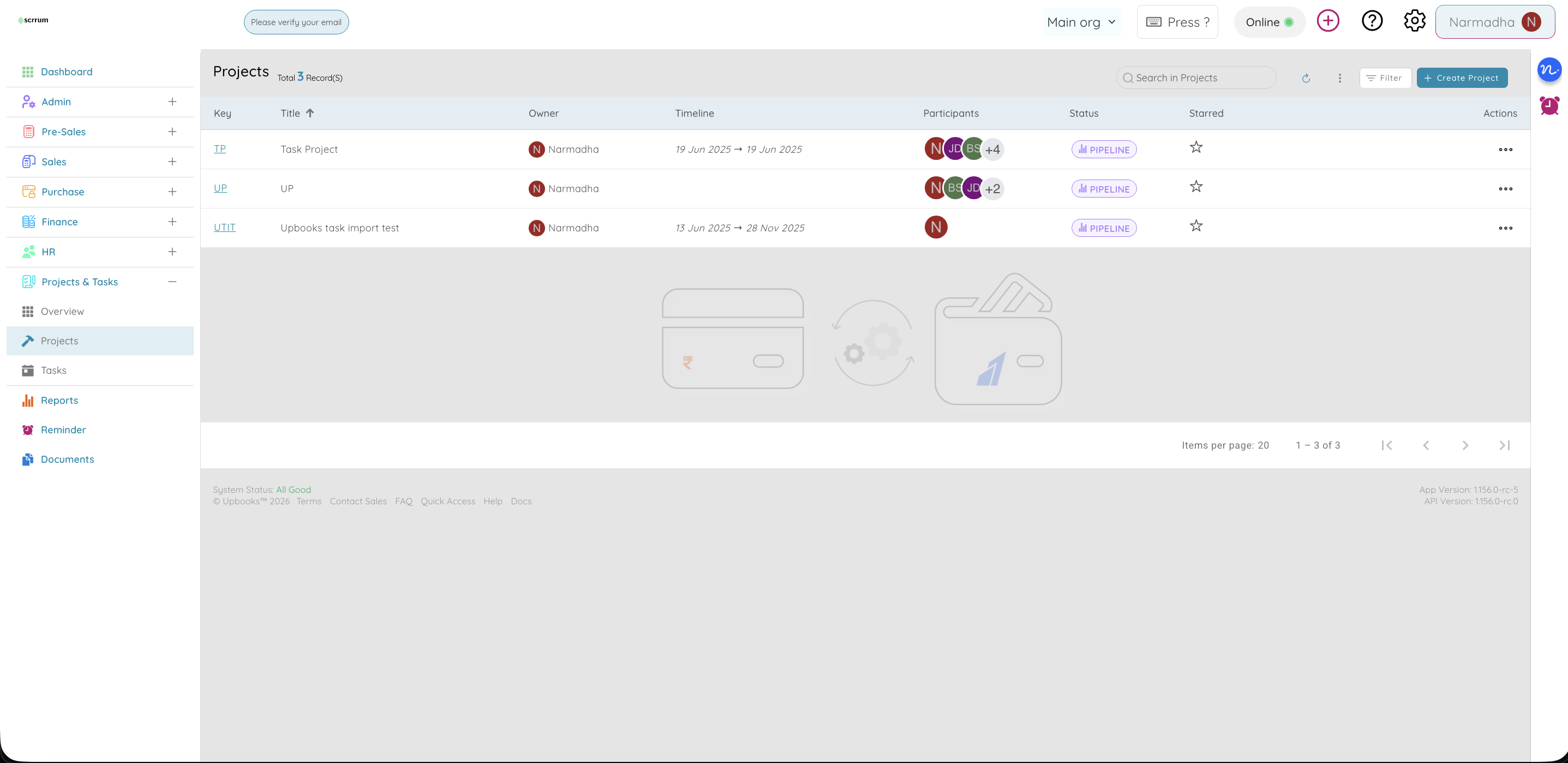
Create, organize, and manage every project in one place
- See every project in one list with key, name, owner, dates, participants, and status
- Create projects with title, status, client, dates, budget, team members, description, and files
- Set estimated and actual start/end dates and budgets with currency
- Start faster with ready-made board templates when creating a project
- Mark projects as starred or archived so active work stays front and centre
- Import and export projects via CSV for migration, reporting, or backup
- From a project, switch between Boards, Tasks, Overview, and Timeline views
- Link projects to clients and attach briefs, contracts, or specs
Why it matters
Keep all your projects organized in one place. Find what you need quickly, see who’s working on what, set budgets, and track progress without switching between tools.
Tasks
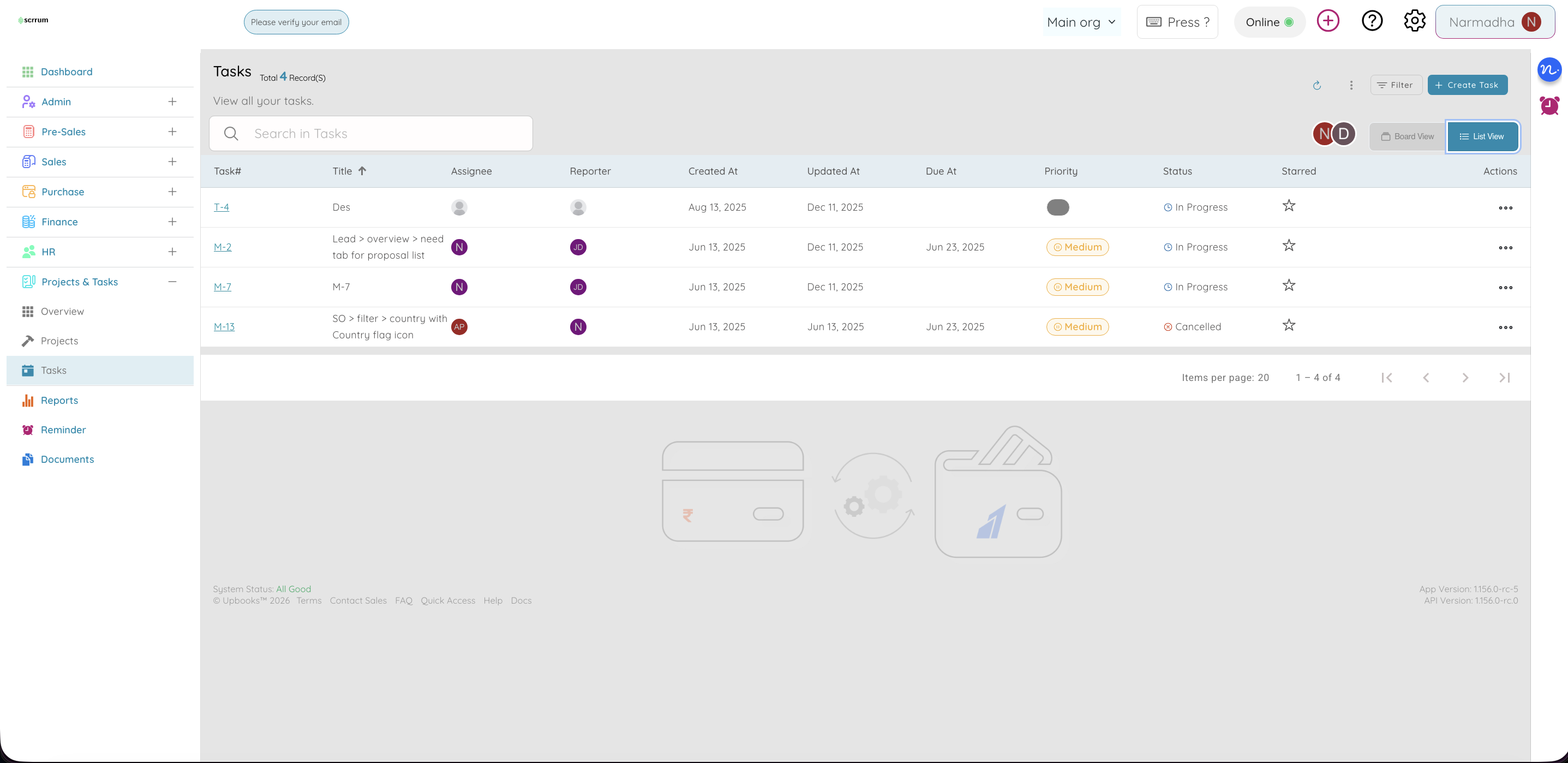
Create tasks with clear ownership — on boards or in lists
- Create tasks with project, parent task, title, rich summary, status, assignee, reporter, dates, priority, labels, and dependencies
- Visual kanban boards for daily standups; list view for reporting and overdue scans
- Set “depends on” so blocked work is obvious; use parent/sub-tasks for nested work
- Comments, file uploads, and inline edits without opening full forms
- Search and filter by project, assignee, reporter, or starred
- Import and export tasks via CSV for bulk create and stakeholder reports
- Copy task links for chat or email; move tasks between projects or boards
Why it matters
Manage tasks the way your team works best. Clear ownership, deadlines, and dependencies mean less chasing and fewer dropped balls.
Kanban Boards
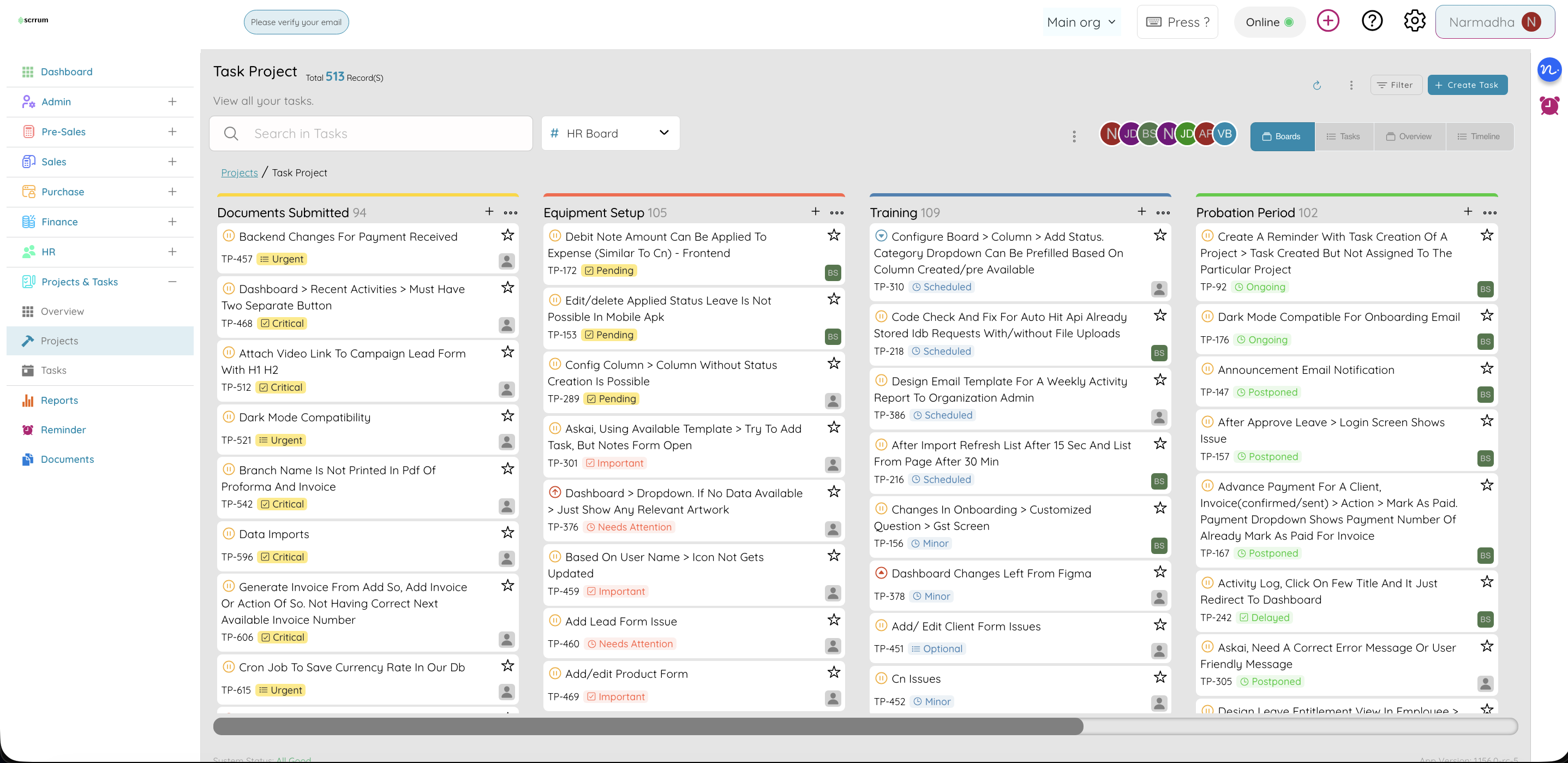
Visual boards so everyone sees progress
- Tasks shown on boards with columns (e.g. To Do, In Progress, Done)
- Move cards by dragging to update status — no forms required
- A project can have more than one board (Sprint, Backlog, Client tasks)
- Create boards from templates; set name, color, privacy, and theme
- Configure columns, statuses, and custom fields per board
Why it matters
Visual boards make it easy to see what’s happening at a glance. Drag and drop to update status — perfect for daily standups and team visibility.
Board Configuration
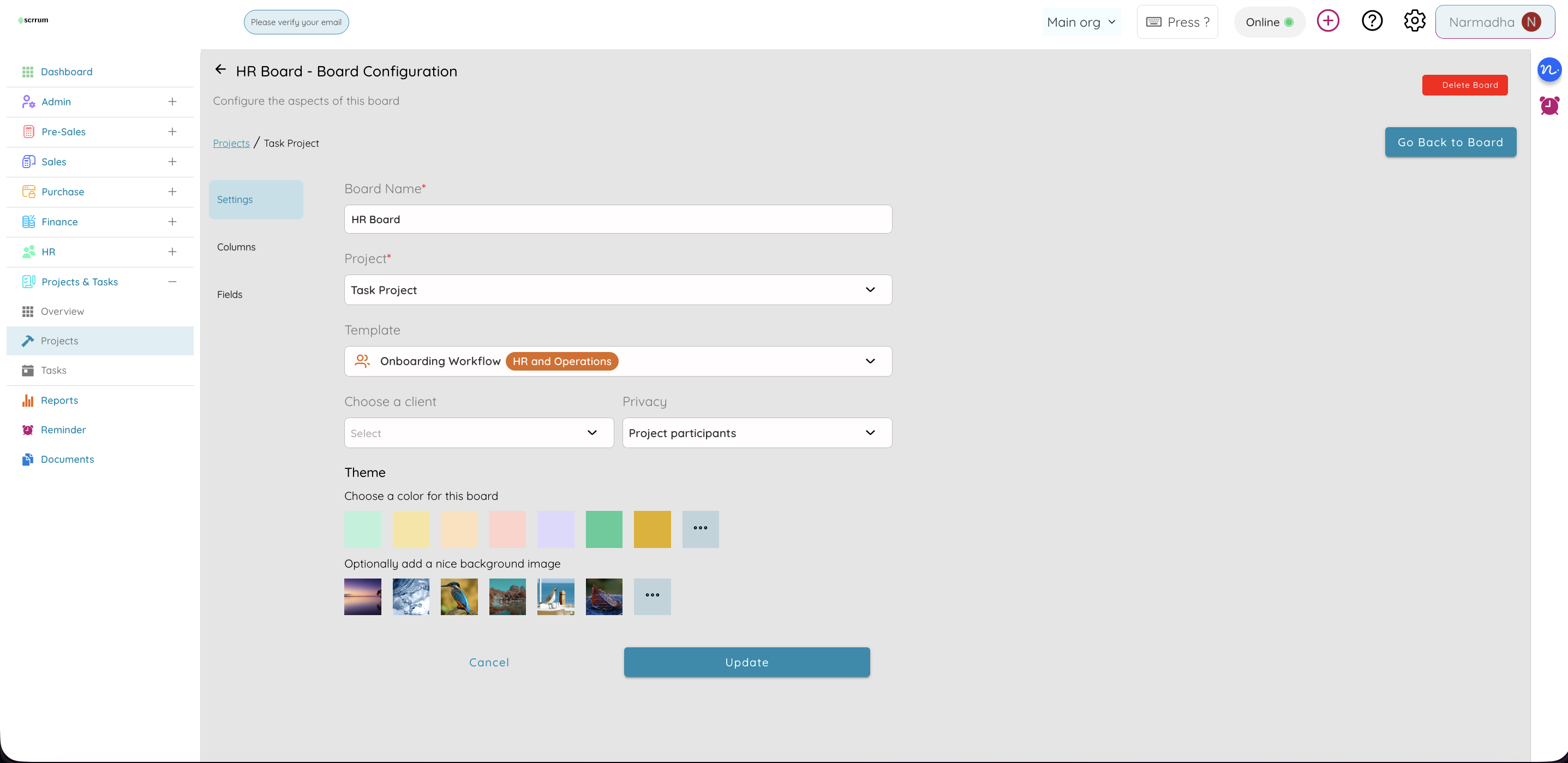
Columns, statuses, and fields that match your process
- Adjust settings (name, project, template, client, privacy, theme)
- Manage columns — add, rename, delete, set colors, reorder
- Define custom fields: text, number, date, yes/no, dropdown, or dynamic list
- Match your process (e.g. Quote → Design → Approval → Done)
- Use fields for Phase, Cost center, Client approval, and more
Why it matters
Configure boards to match your exact process so the tool works the way your team already works — not the other way around.
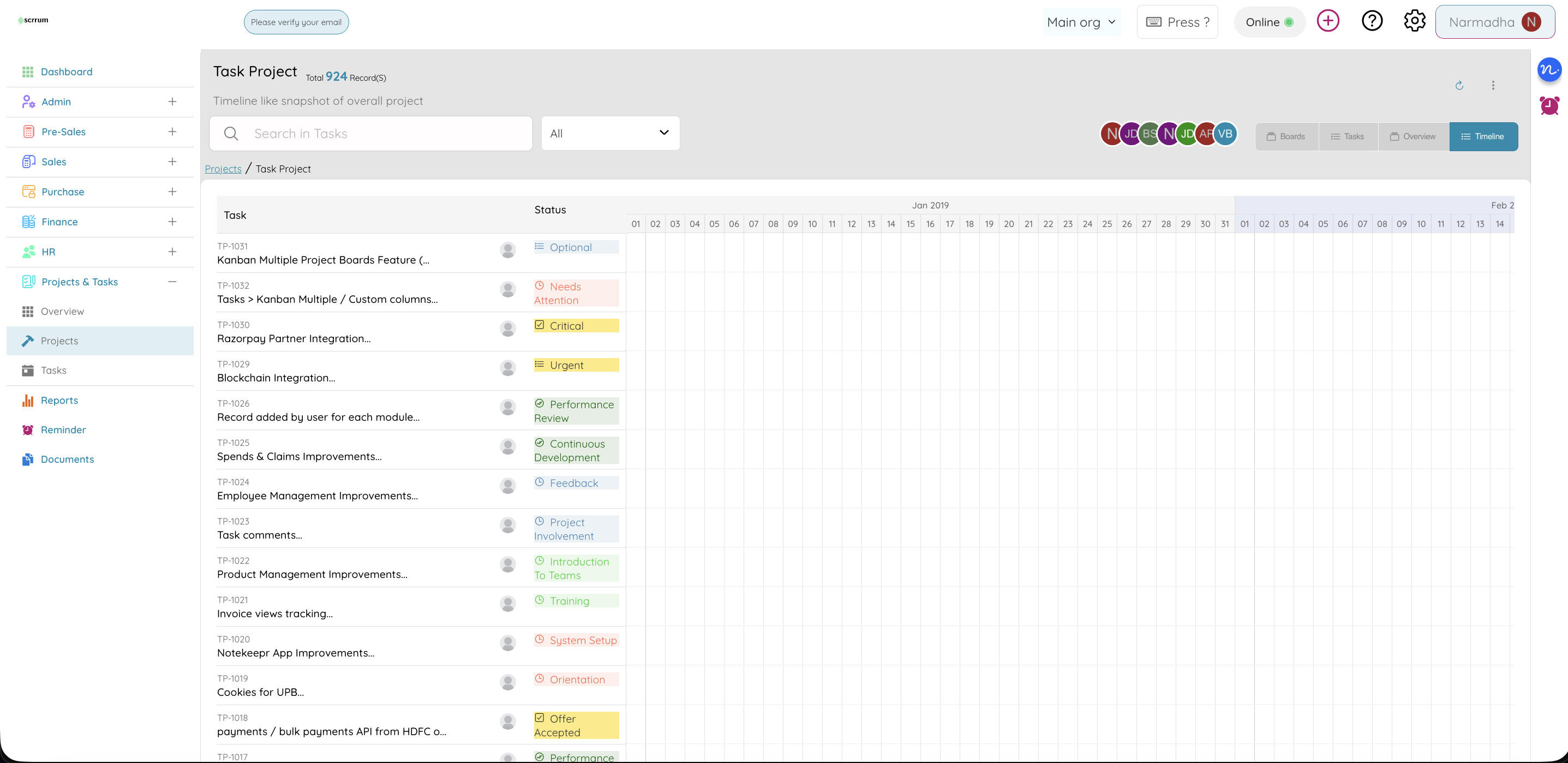
Project Timeline
See tasks on a calendar
- Timeline view shows tasks as bars on a time axis
- Spot overlaps, gaps, overload, and delays before they slip
- Ranges: this week, month, quarter, full year, or all
- Filter by assignee or date; click a bar to edit the task
- Export timeline data for reports or other planning tools
Why it matters
See your work on a timeline to spot conflicts, plan ahead, and ensure deadlines are realistic.
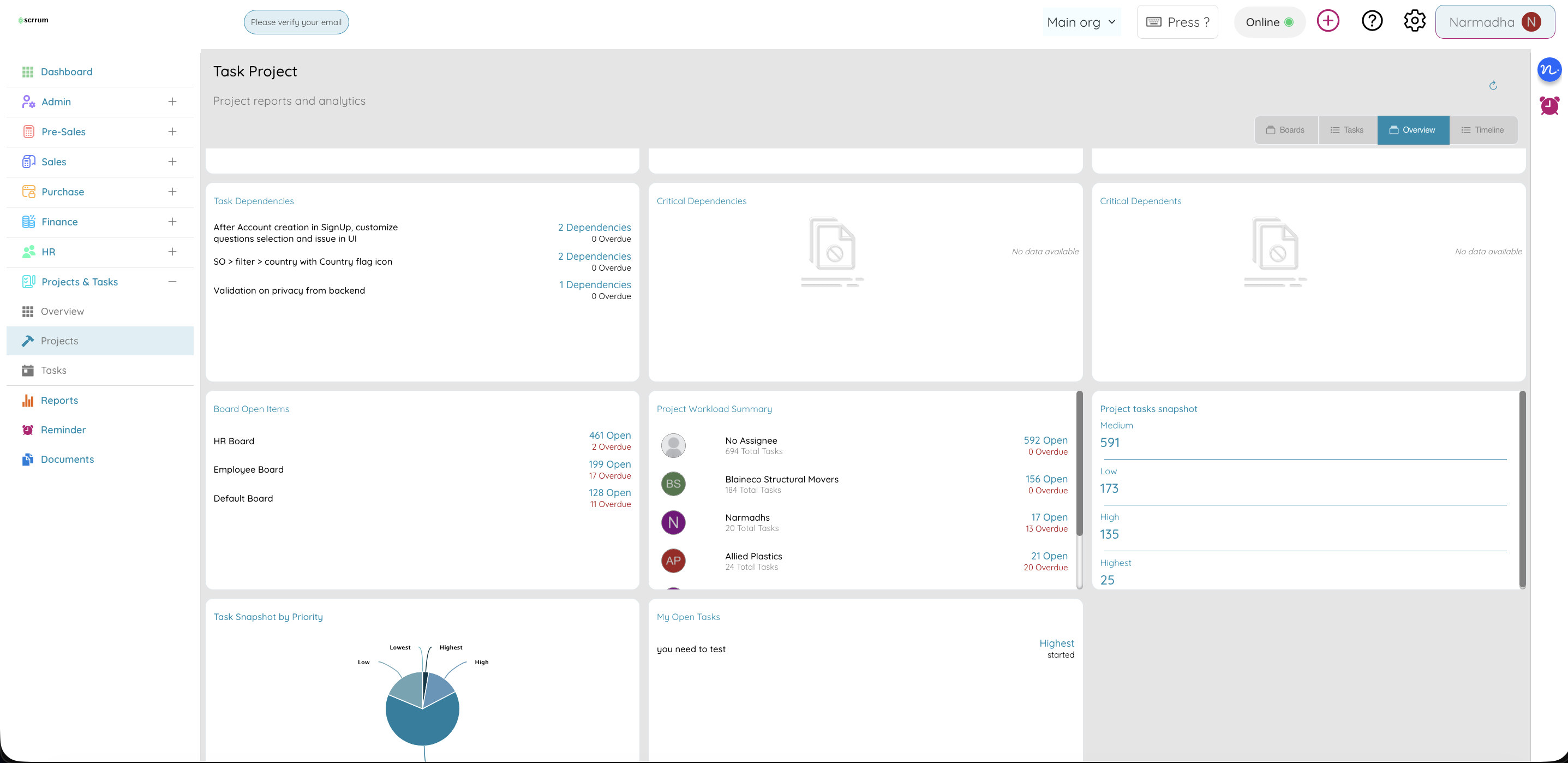
Project Overview
One screen for project health
- Widgets for lists, single values, multi-values, and graphs
- Highlight tasks due this week, overdue count, or by status
- Quick health check without opening boards or lists
Why it matters
Get a quick overview of project health without diving into details. Key metrics and progress at a glance.
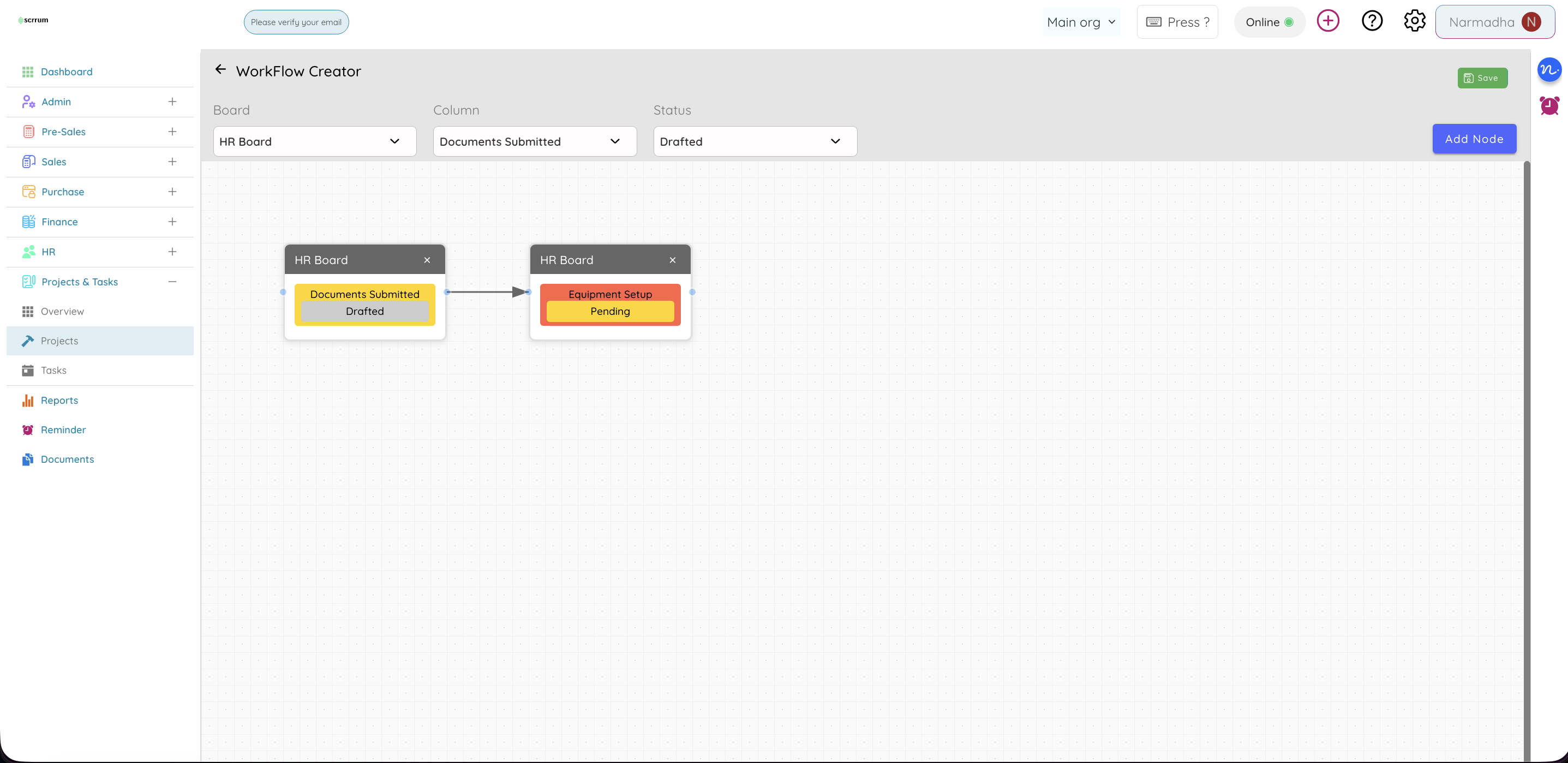
Workflow Creator
Map how work flows — then automate the handoffs
- Map how tasks move between stages and connect clear paths
- Ensure consistent workflow across your team
- Configure automation triggers based on stage changes
- Set up approvals and governance rules
- Example: a design agency workflow — Brief Received → In Design → Client Review → Revisions → Approved → Delivered, with automatic notifications at each stage change
Why it matters
Process consistency at scale comes from rules, not reminders. Workflow creator ensures every deliverable follows the same path — with notifications that fire themselves.
Workflow film
Your work management workflow, simplified
Watch the path from project creation to delivery — autoplaying product scenes.
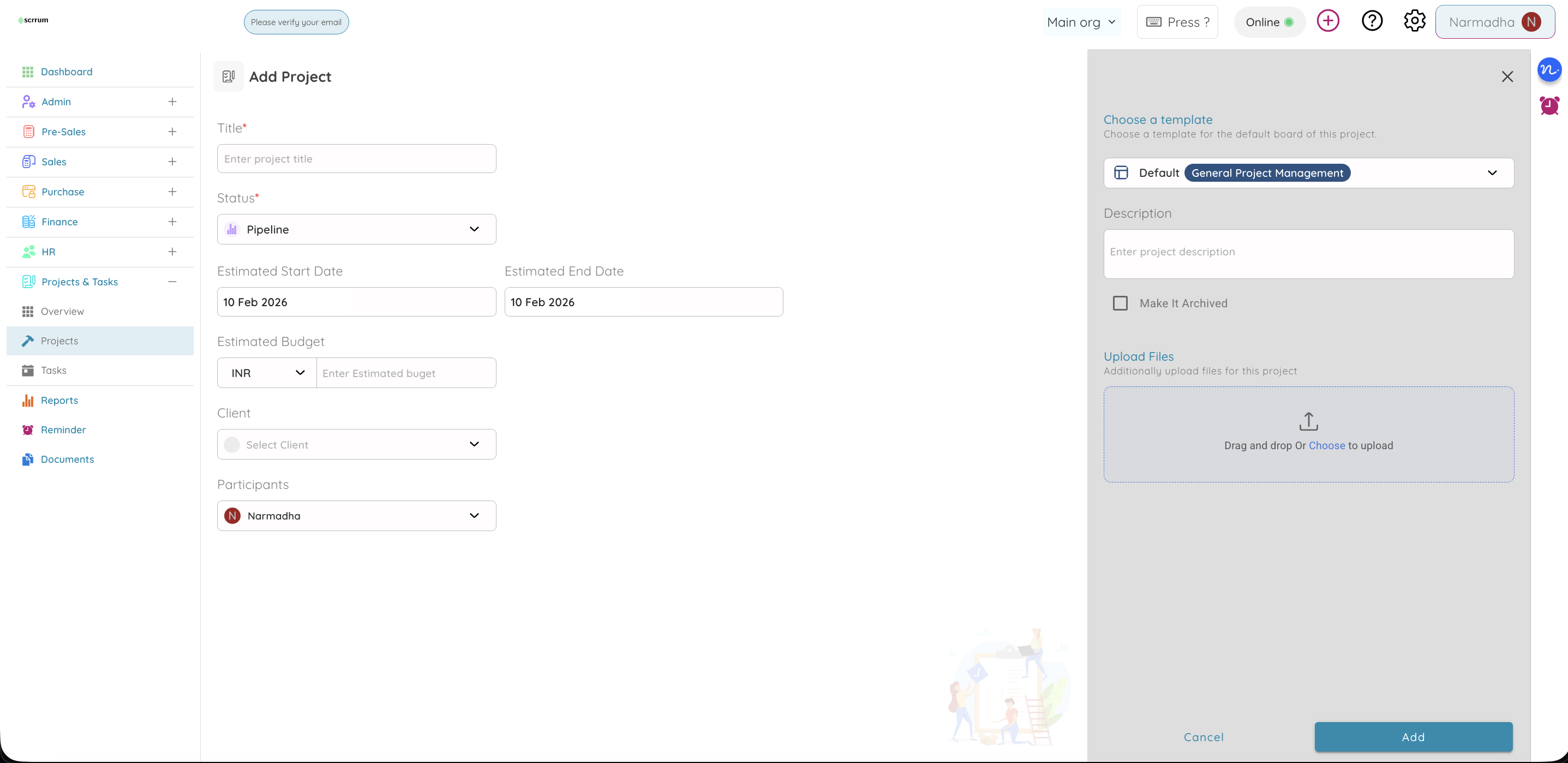
01 · Create
Spin up a project with team, budget, and dates
Create Projects
Team, budget, dates, and templates — ready in minutes.
Add Tasks
Owners, priorities, dependencies, and sub-tasks.
Track Progress
Boards, lists, timeline, and live status updates.
Complete & Archive
Close the loop, export reports, keep history.
Results that matter
Measurable impact on your work management
Faster Project Delivery
Teams complete projects faster with better visibility and automation.
Deadline Accuracy
On-time completion with proactive SLA and timeline management.
Monthly Savings
Reduced manual work and tighter resource allocation.
Outcomes reel
Business benefits
Outcomes your team feels — narrated with live product footage.
Find fast
Search & filters cut hunting time across projects
Less time searching
Faster findSearch and filters help people find the right work quickly.
Clear ownership
No ambiguityAssignee and reporter on every task — no ambiguity.
Better planning
On scheduleDates, dependencies, and timeline surface bottlenecks early.
Visibility
Shared truthBoards and overview keep status meetings short.
Fewer lost details
Context keptComments and attachments stay with the task.
Flexible structure
Your processBoards, sub-tasks, and fields adapt to your process.
Budget visibility
Cost controlEstimated vs actual budgets linked to project work.
Audience reel
Who Should Use Project Management?
Built for teams that ship with clear ownership — see it in motion.
Marketing
Launch boards — design, content, social in sync
Marketing teams
Coordinate launches across design, content, and social — one board.
Development teams
Two-week sprints, blockers, and velocity on Kanban.
Operations teams
Phase-based boards and timeline for rollouts.
Agencies
Brief → revision → approved with clear owners.
Construction
Site phases, subcontractors, and budgets on timeline.
Growing companies
Import/export, multi-boards, and custom fields.
Time tracking
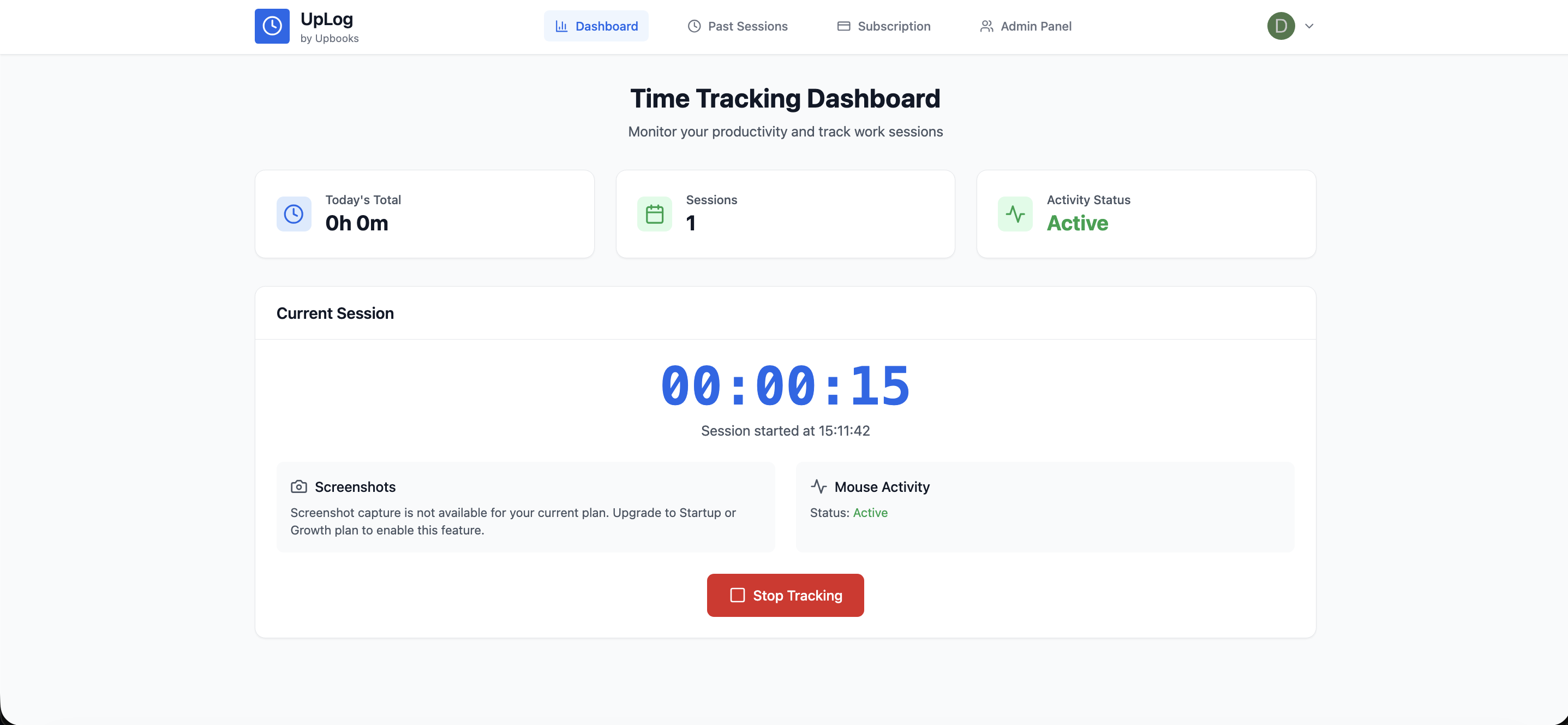
Add time tracking with UpLog
Work Management tracks what needs to be done. UpLog tracks how long it takes. Together, they connect task completion to billable hours, timesheets, and screenshot-based accountability.
- Log timesheets against tasks and projects from UpLog
- Screenshot-based time capture for remote and distributed teams
- Daily statistics: hours logged, tasks completed, productivity per person
- Time reports by project, team, or client — export for billing or payroll
- Same projects and boards visible in both Work Management and UpLog
Connected stack
Work Management
Projects · Tasks · Boards
UpLog
Hours · Proof · Reports
Connected to your entire operation
Pricing Plans for Project Management
Project Management is available in all plans. Project Management web version is available in Free and Basic tiers. Choose the plan that fits your business needs.
*Prices are exclusive of GST
Basic
For small teams
/ Month (Billed annually)
Billed yearly- ✓Everything in Free
- ✓5 Projects
- ✓200 Tasks
- ✓Time Tracking with UpLog
Startup
For growing teams
/ Month (Billed annually)
Billed yearly- ✓Project Management
- ✓Time Tracking with Screenshots
- ✓Dynamic Dashboards & Widgets
- ✓Invite upto 3 Teammates
- ✓5 GB Storage Included
- ✕Custom Domain
Growth
For enterprises
/ Month (Billed annually)
Billed yearly- ✓Project Management
- ✓Recurring Tasks
- ✓Advanced Reports
- ✓Invite upto 5 Teammates
- ✓10 GB Storage Included
- ✓Unlimited Bookmarks
- ✓Advanced Audit Logs
- ✓Customer Portal
- ✕Custom Domain
Growth Plus
For advanced businesses
/ Month (Billed annually)
Billed yearly- ✓Everything in Growth
- ✓Product Bundles
- ✓Item Price Levels
- ✓Customer Groups & Hierarchy
- ✓Assets Management
- ✓Profit & Cost Centers
- ✓Custom Roles & Permissions
- ✓Template Customization
- ✓Recurring Tasks
- ✓MCP Server & Ask AI
- ✓10 GB Storage Included
- ✓Custom Domains
Enterprise
For large organizations
Talk to our team for a tailored plan
Contact SalesWhat's included:
Ready to execute work with absolute clarity?
Join 5,000+ teams using Upbooks Project Management
No credit card required. Full access to all features.
