
Capture every lead from the page you're on.
Leadclipper saves people and companies into LeadTrackr, then lets you log the next call or follow-up — so your pipeline stays warm without leaving the tab.
✓ Capture from any page • ✓ Individual or Business • ✓ Log next activity as you save
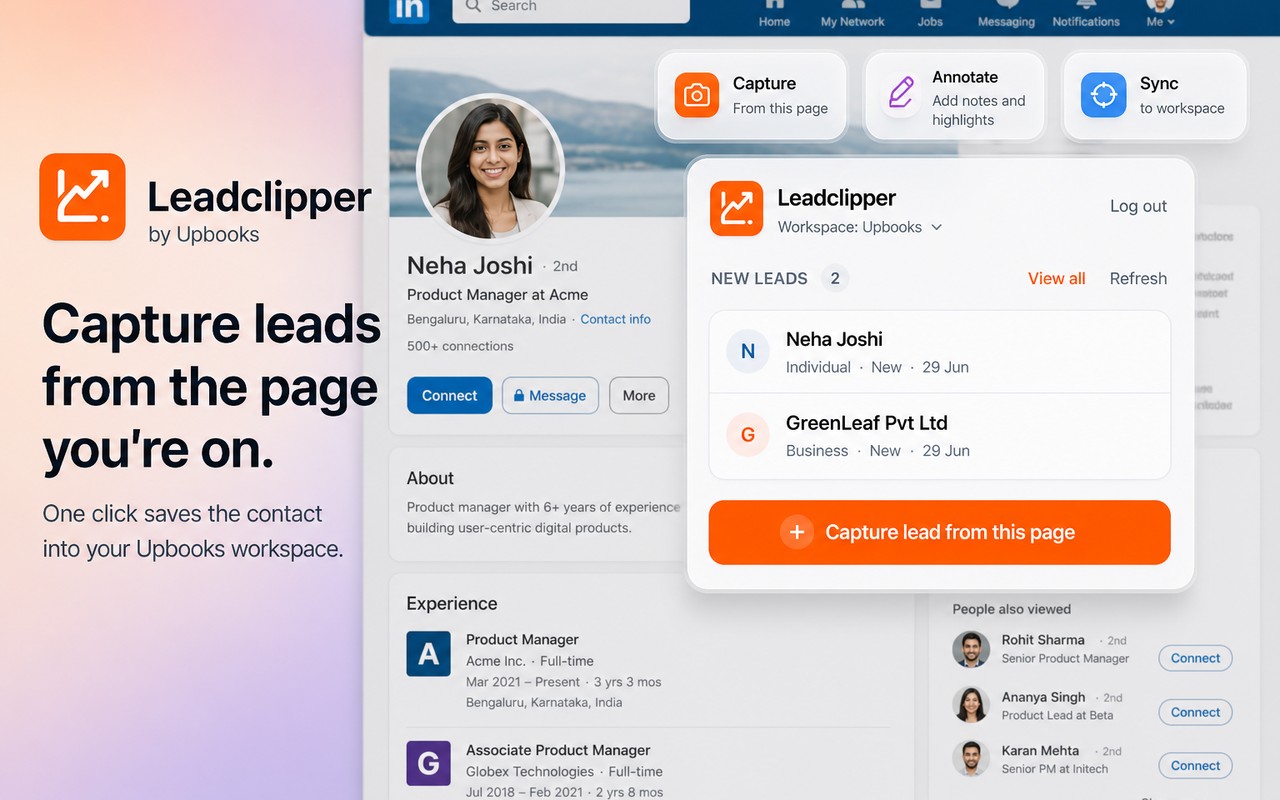
CaptureOne click saves the contact into your workspace
Leadclipper — capture leads without leaving the tab
From the page you're on → into your pipeline
- Capture a lead from LinkedIn, email, or any page — one click into your Upbooks workspace
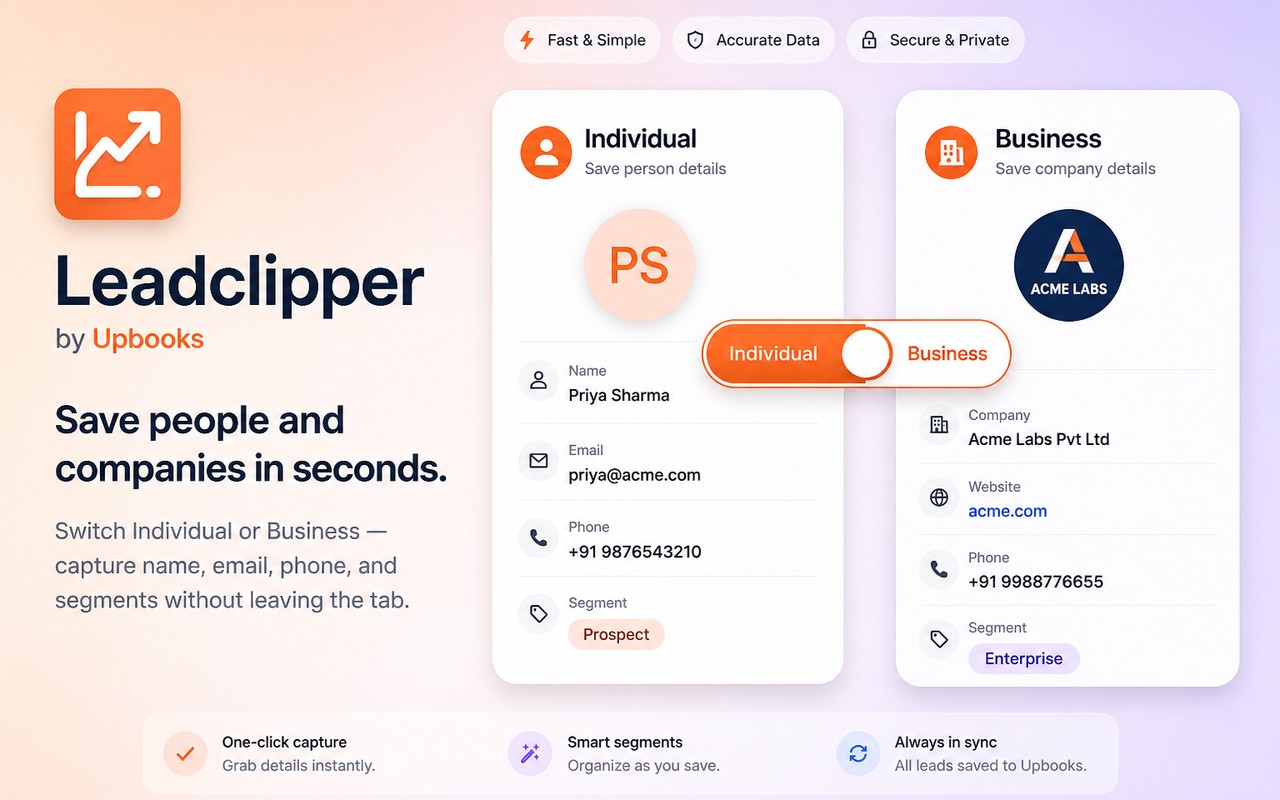
- Switch Individual or Business and save name, email, phone, website, and segments
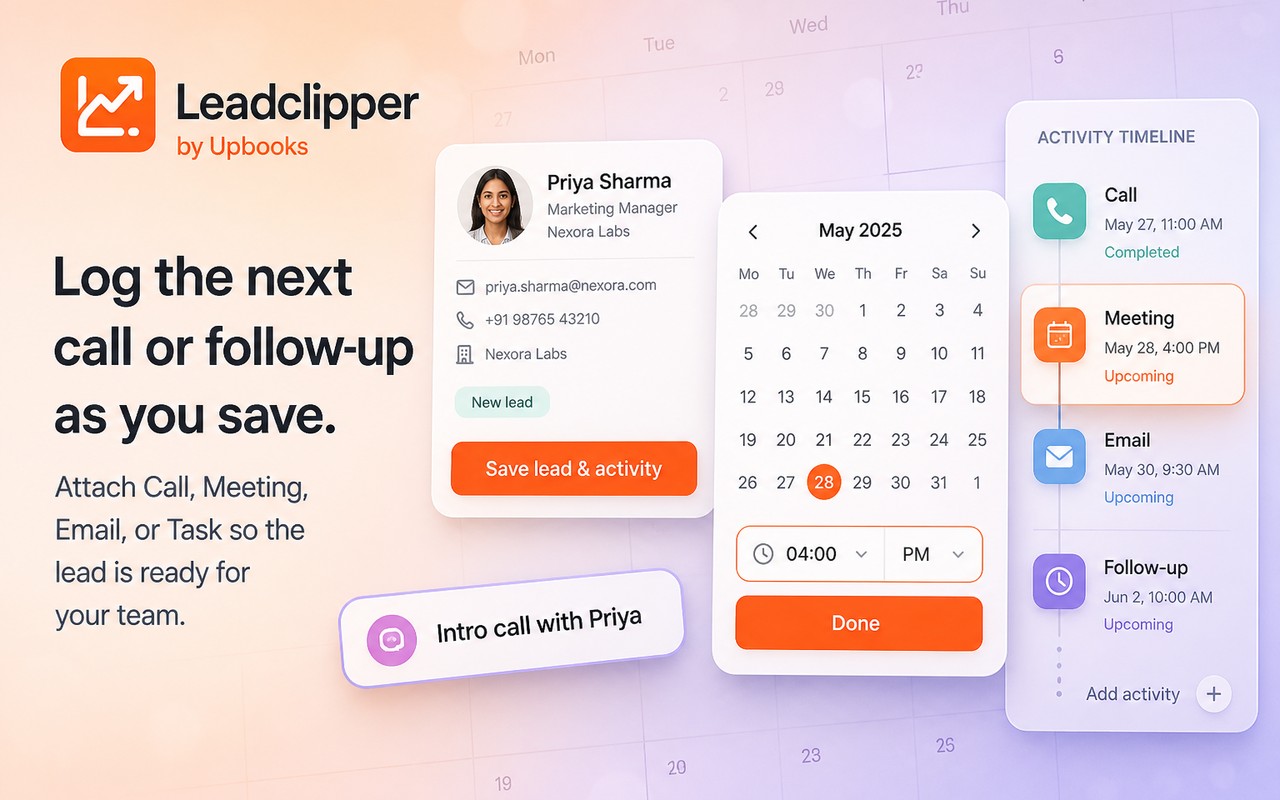
- Log Call, Meeting, Email, or Task while you save so the next follow-up is already planned
- Keep recent leads in the popup and jump straight into your LeadTrackr pipeline
Why it matters
Prospects go cold when you copy-paste contact details later. Leadclipper grabs the person or company and the next activity in the same moment — so sales follow-up starts while context is still fresh.
Scanning the page…
Dashboard
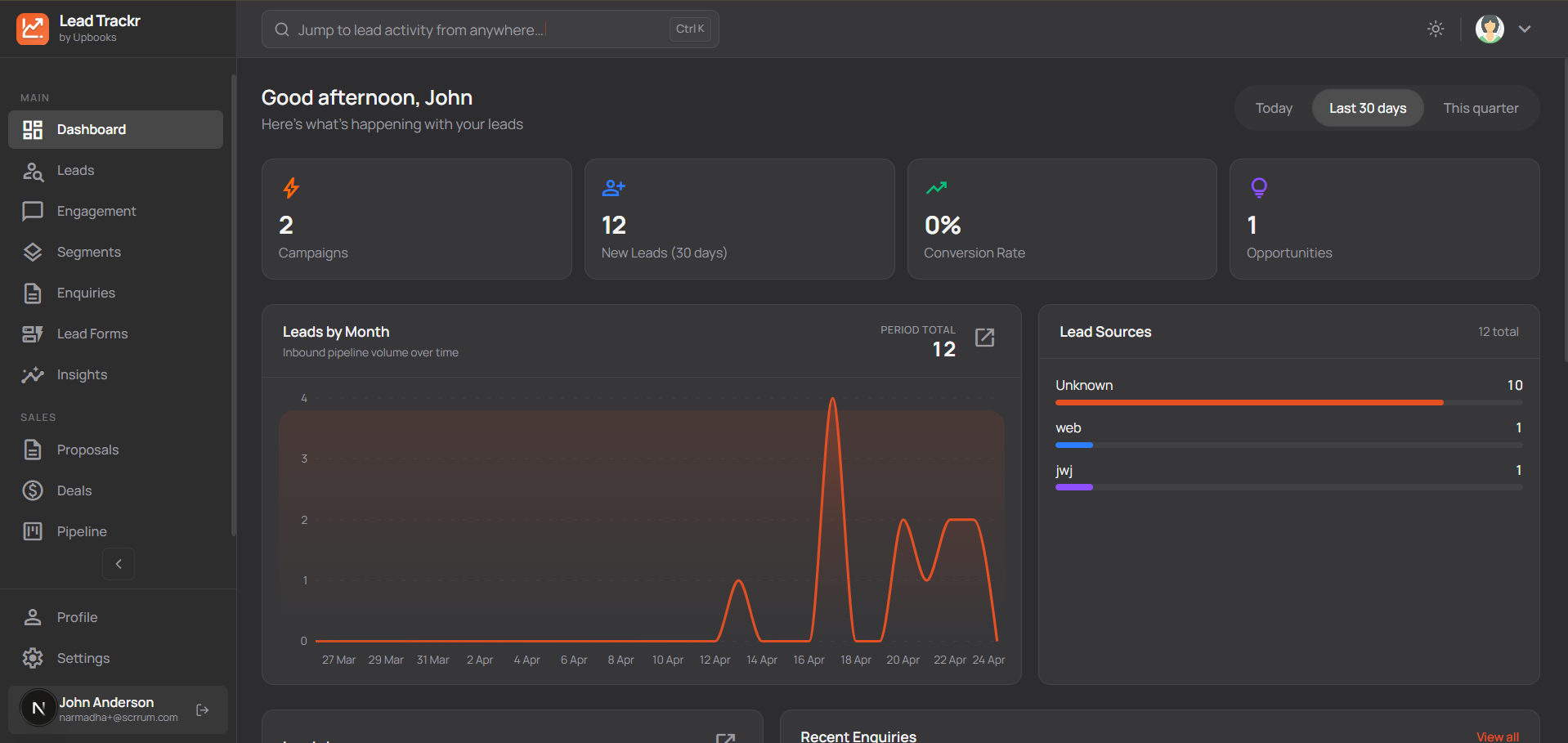
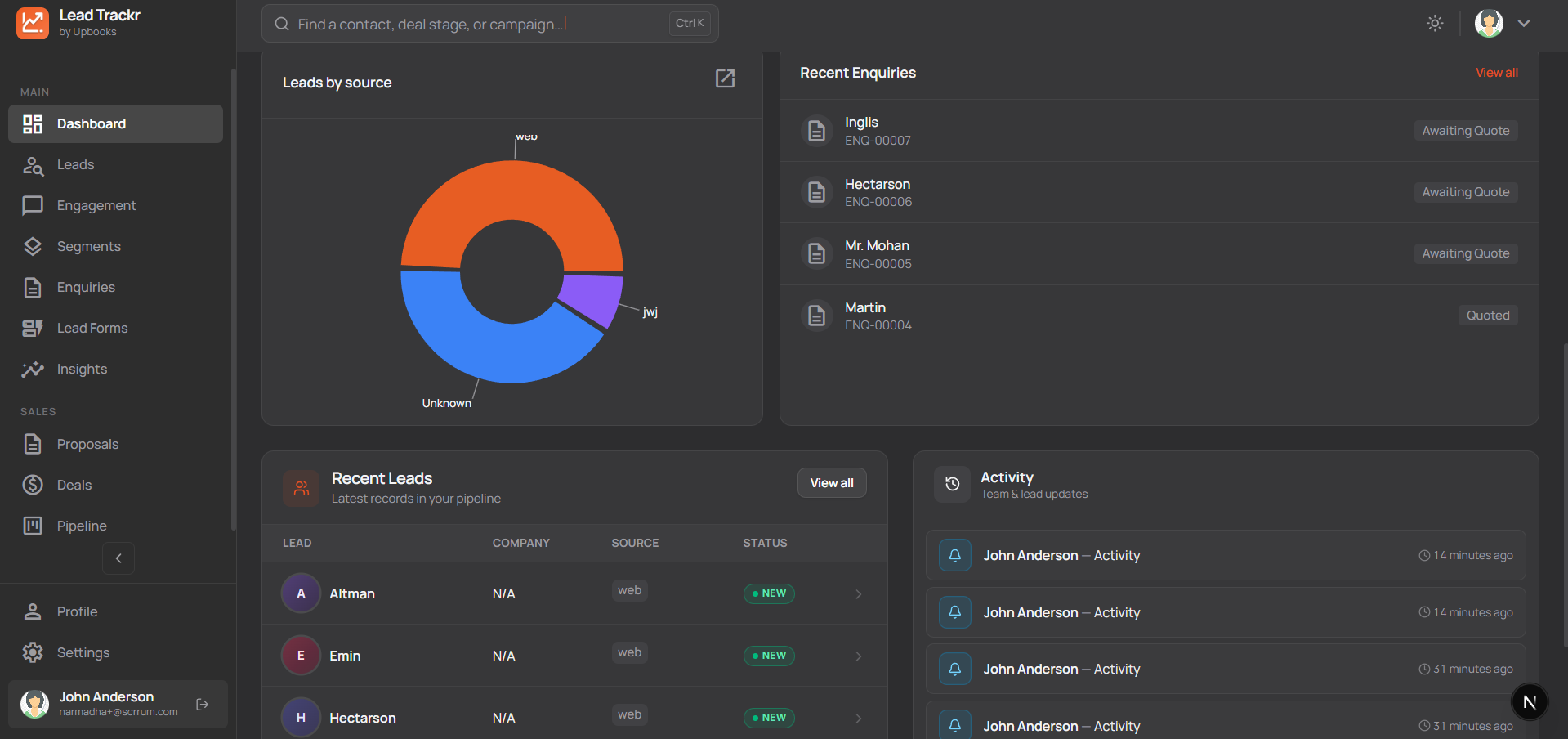
See your business at a glance
- One screen shows how many leads you have, where they come from, and recent activity so you can spot trends quickly.
- Charts show which channels (website, campaigns, referrals) bring the most leads so you can invest in what works.
- Monthly lead counts help you see if marketing and sales efforts are paying off.
- Recent enquiries and leads are listed so you can follow up fast and improve conversion.
- Open any chart in a bigger view and adjust time ranges to focus on the period that matters.
Why it matters
Make faster decisions with clear numbers instead of guesswork; focus time and budget on the right channels.
Leads
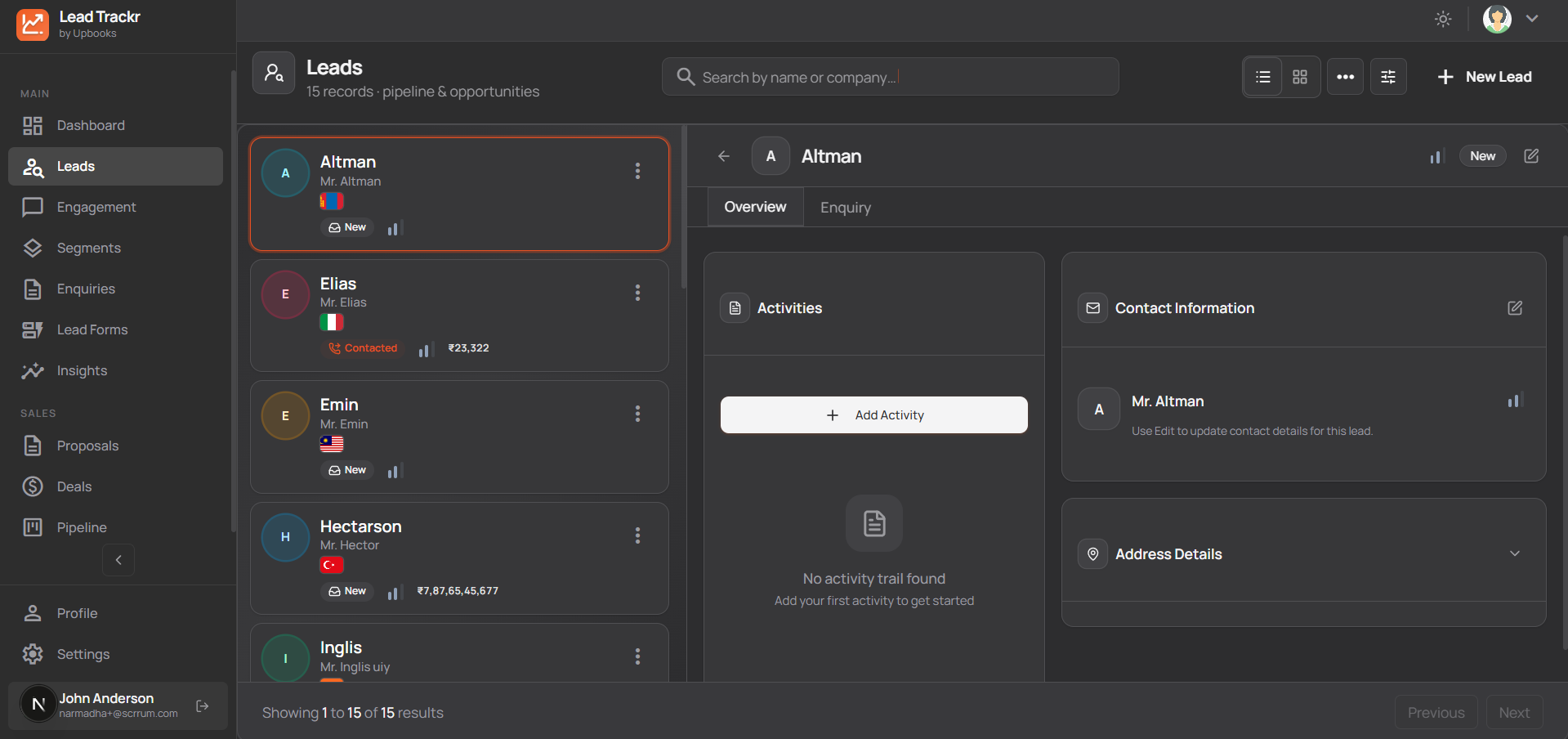
Keep all potential customers in one place
- Every lead stored with name, contact, company, and status so nothing falls through the cracks.
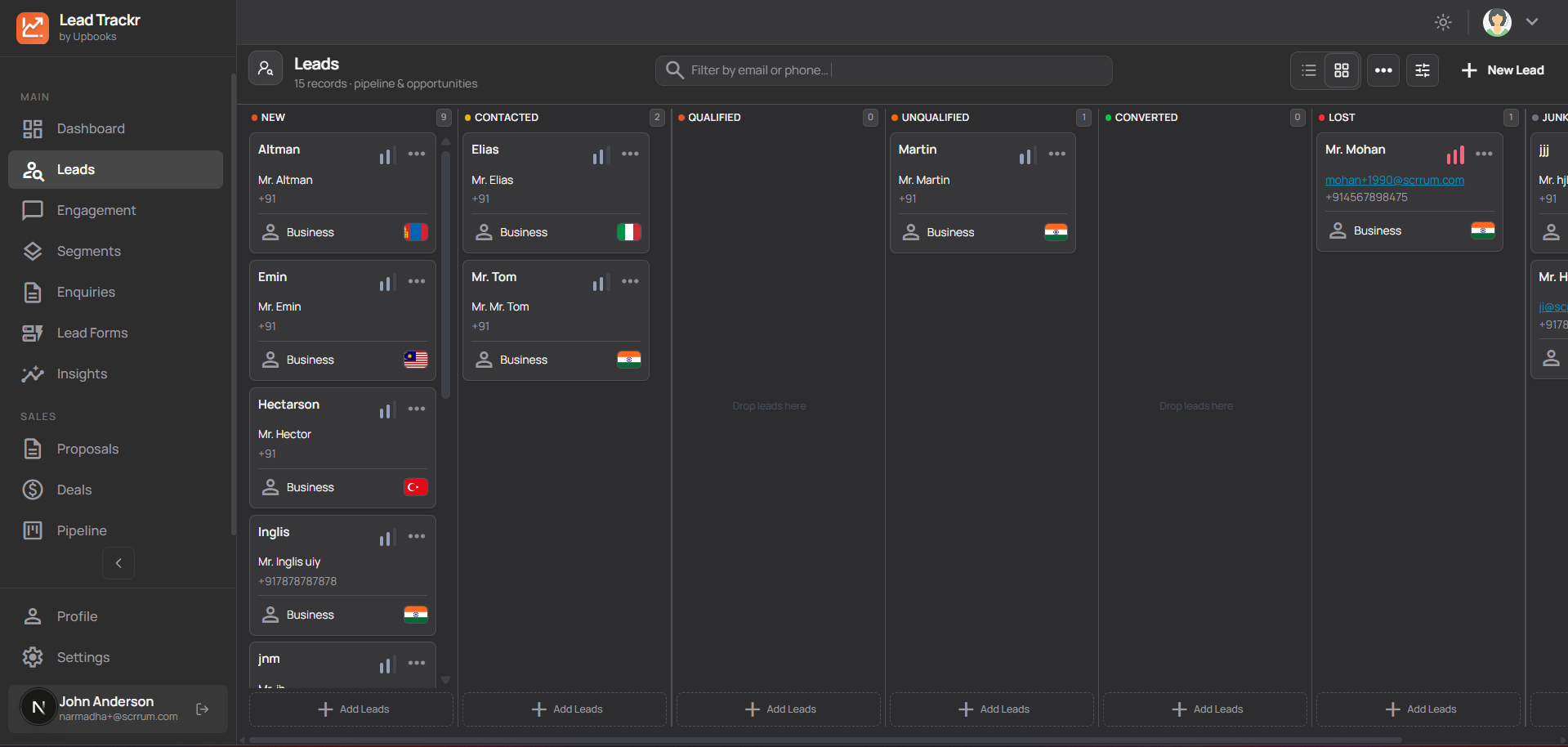
- Visual board (New → Contacted → Qualified → Converted / Lost) — drag and drop leads and see your pipeline at a glance.
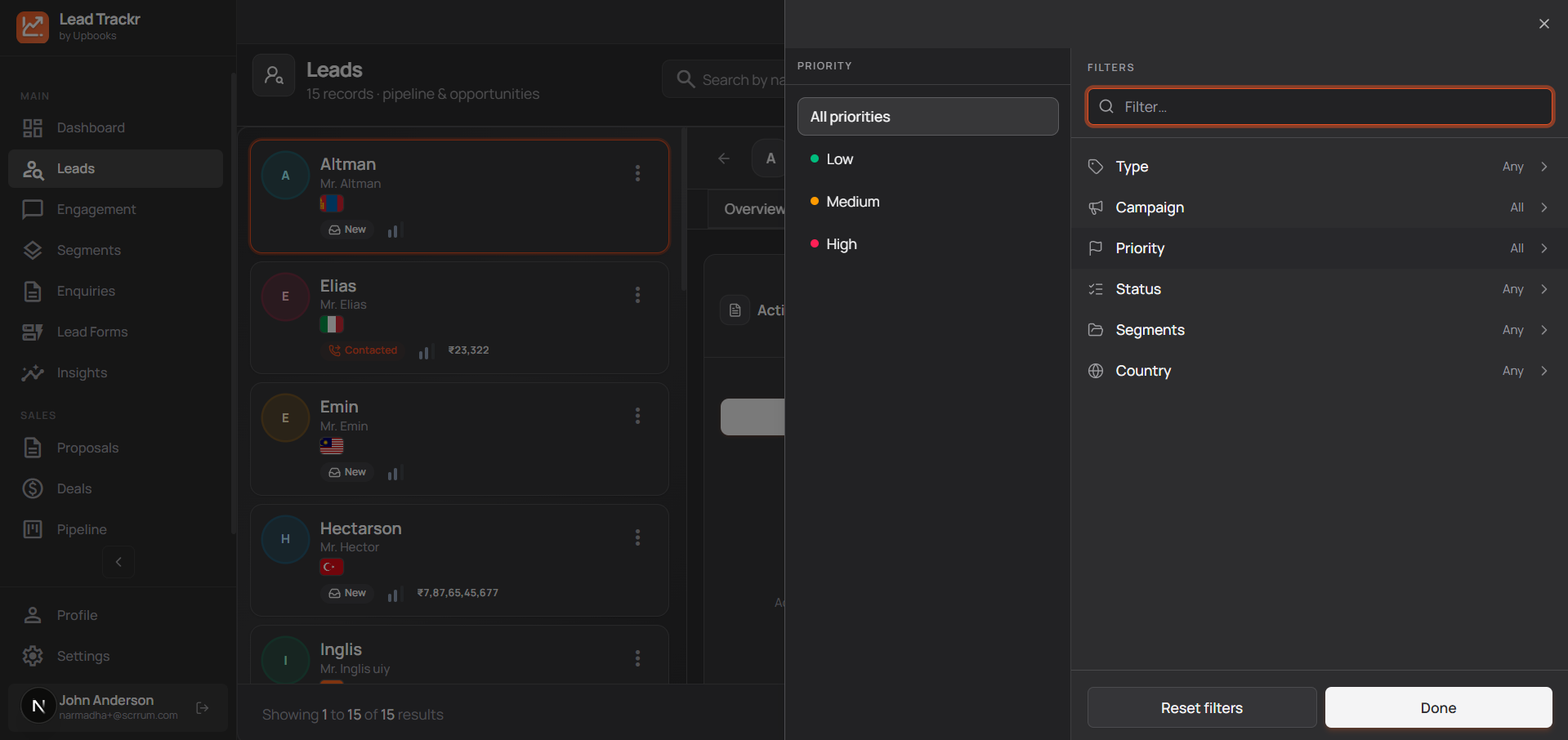
- Search and filter by name, status, source, or other details to pull up the right lead in seconds.
- Add leads in bulk from a spreadsheet to save data-entry time.
- Assign leads to your team so everyone knows who owns each opportunity.
- See the full story for each lead: contact details, address, notes, activities, and linked enquiries.
- Log calls, meetings, and notes; convert leads to clients and keep history intact.
Why it matters
Fewer lost leads, faster follow-up, and a clear view of who’s responsible for each opportunity.
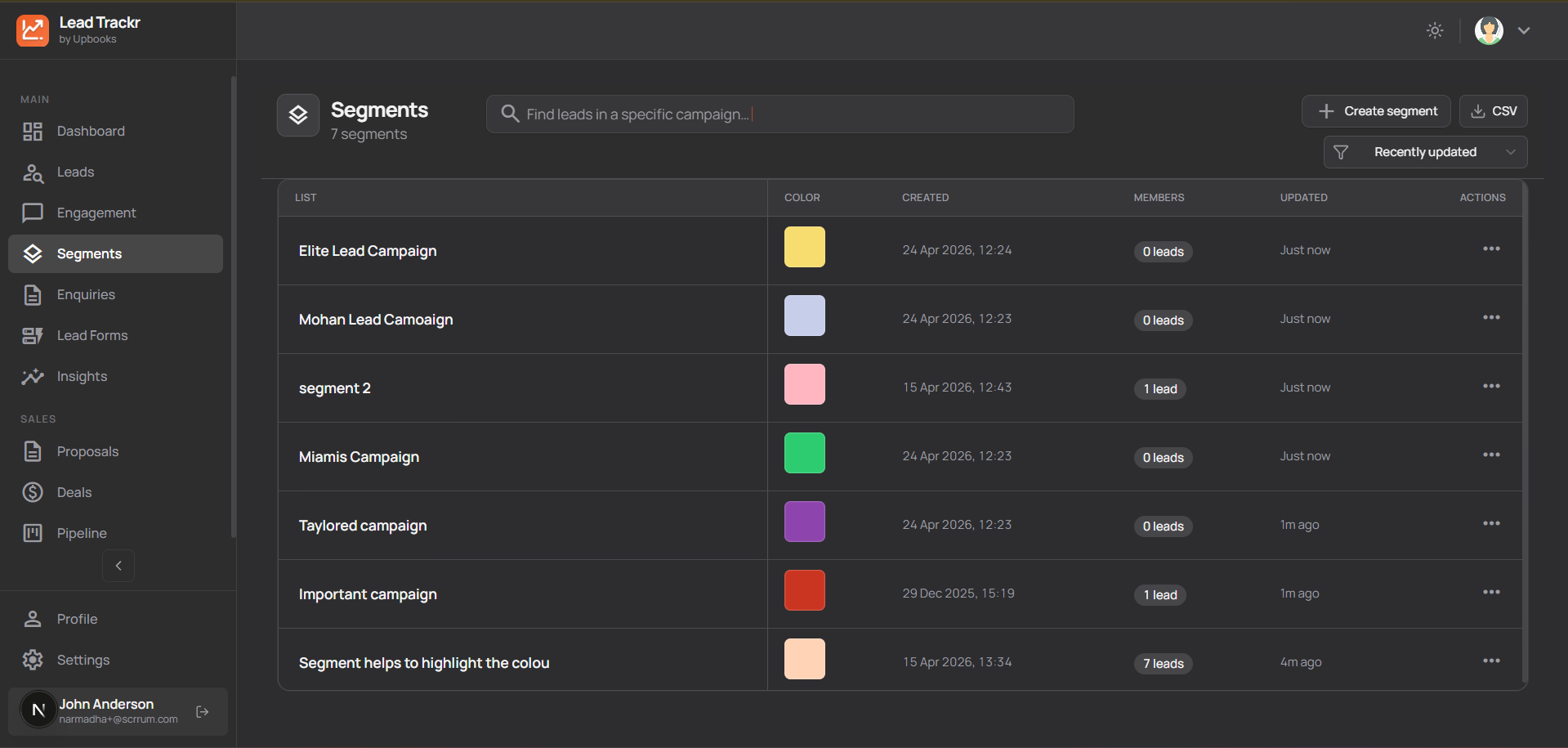
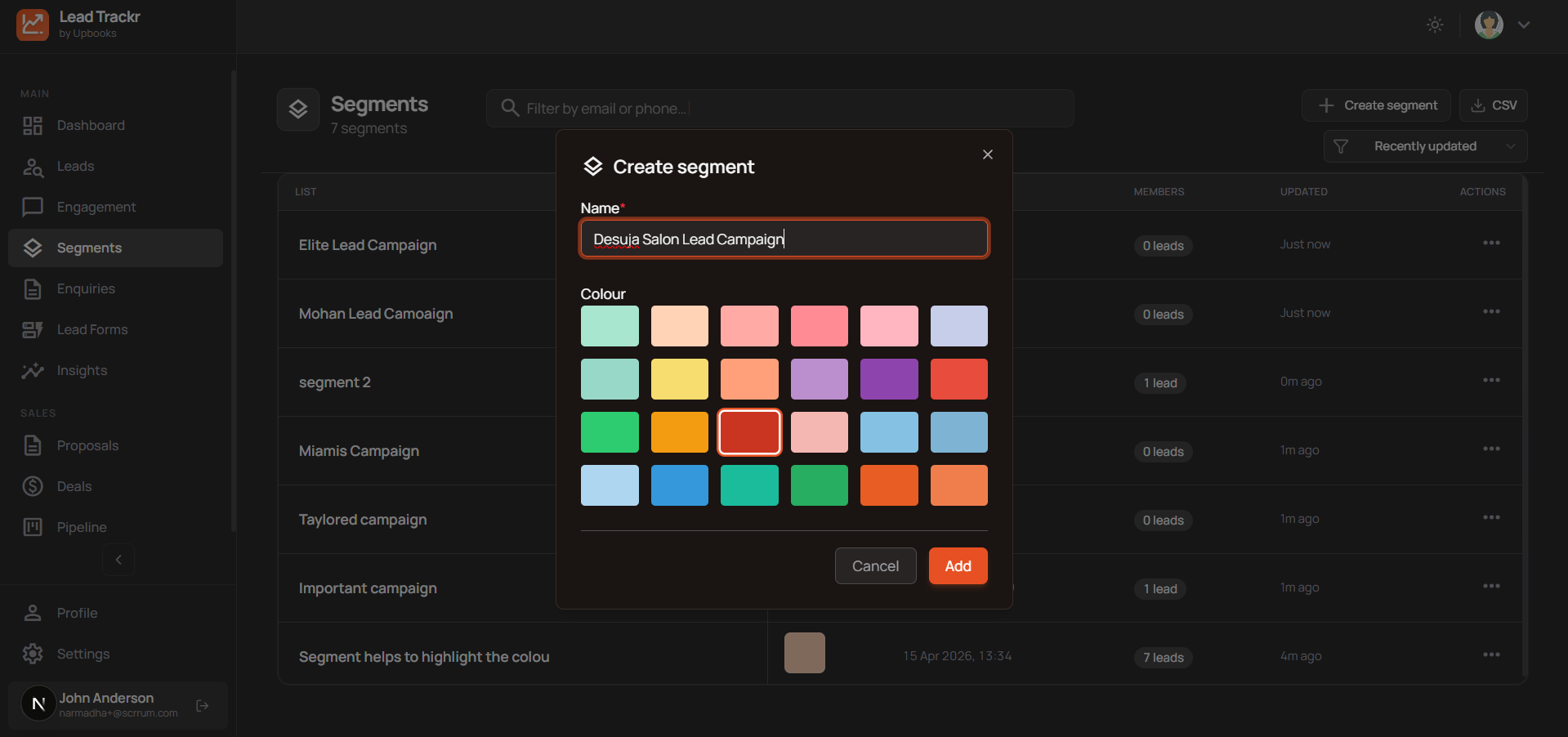
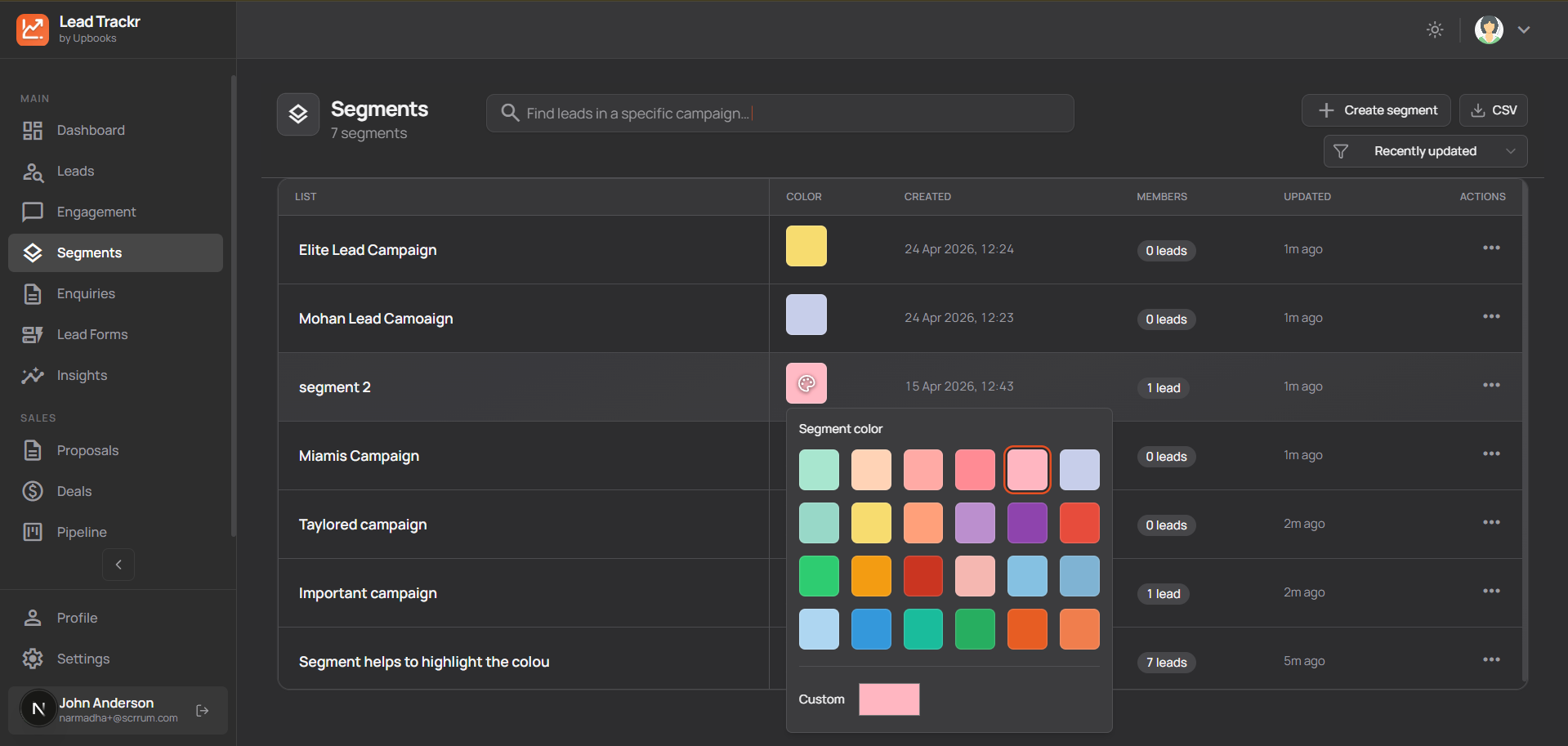
Segments
Group leads the way you need
- Create segments (e.g. “High-value leads”, “From website”, “Not contacted”) to target follow-up and campaigns.
- Each segment shows a count so you know the size of each group before you act.
- Run campaigns or lists based on segments so messaging is relevant and response rates improve.
- Name and color segments so your team can quickly tell them apart.
Why it matters
Smarter targeting, better conversion, and clearer prioritization of leads and clients.
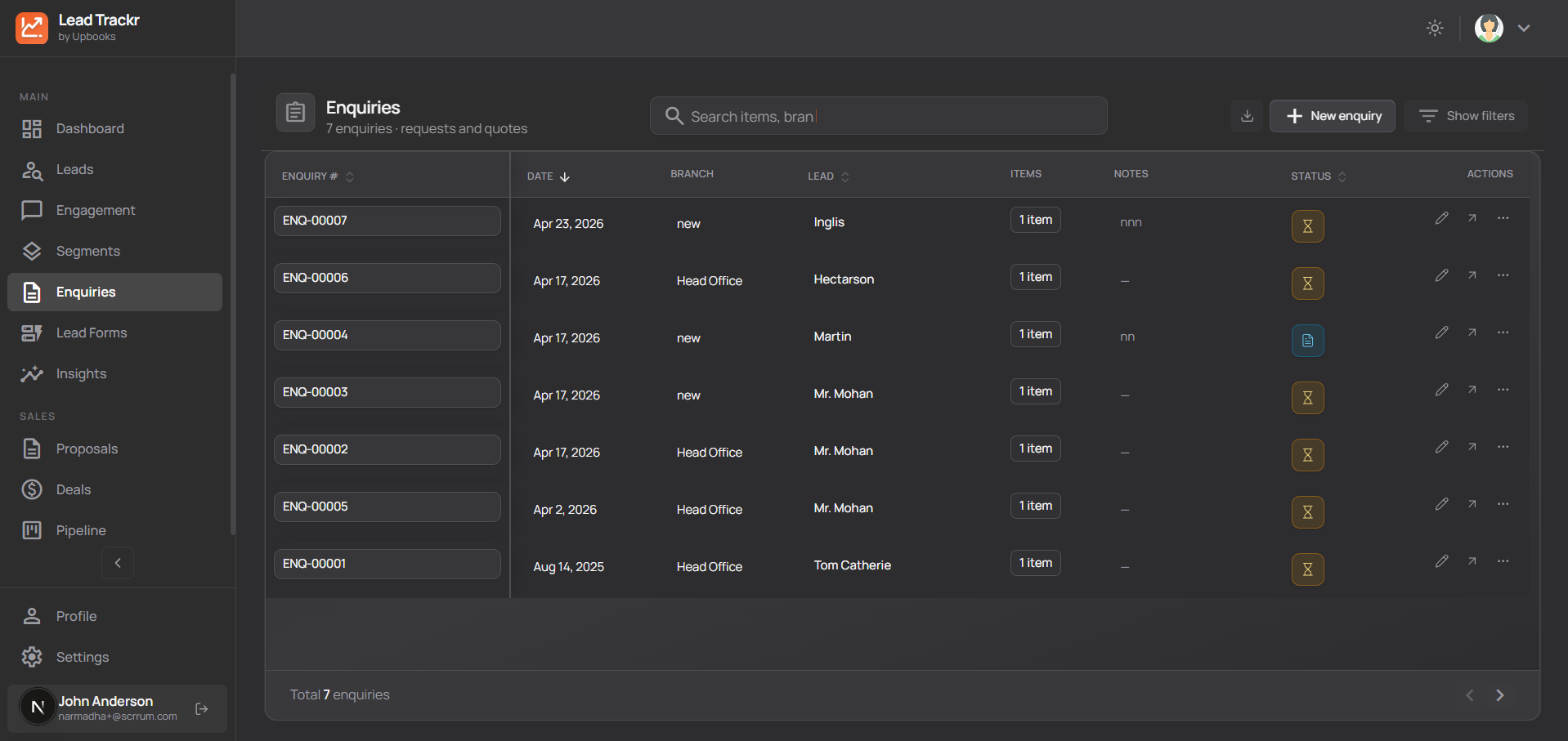
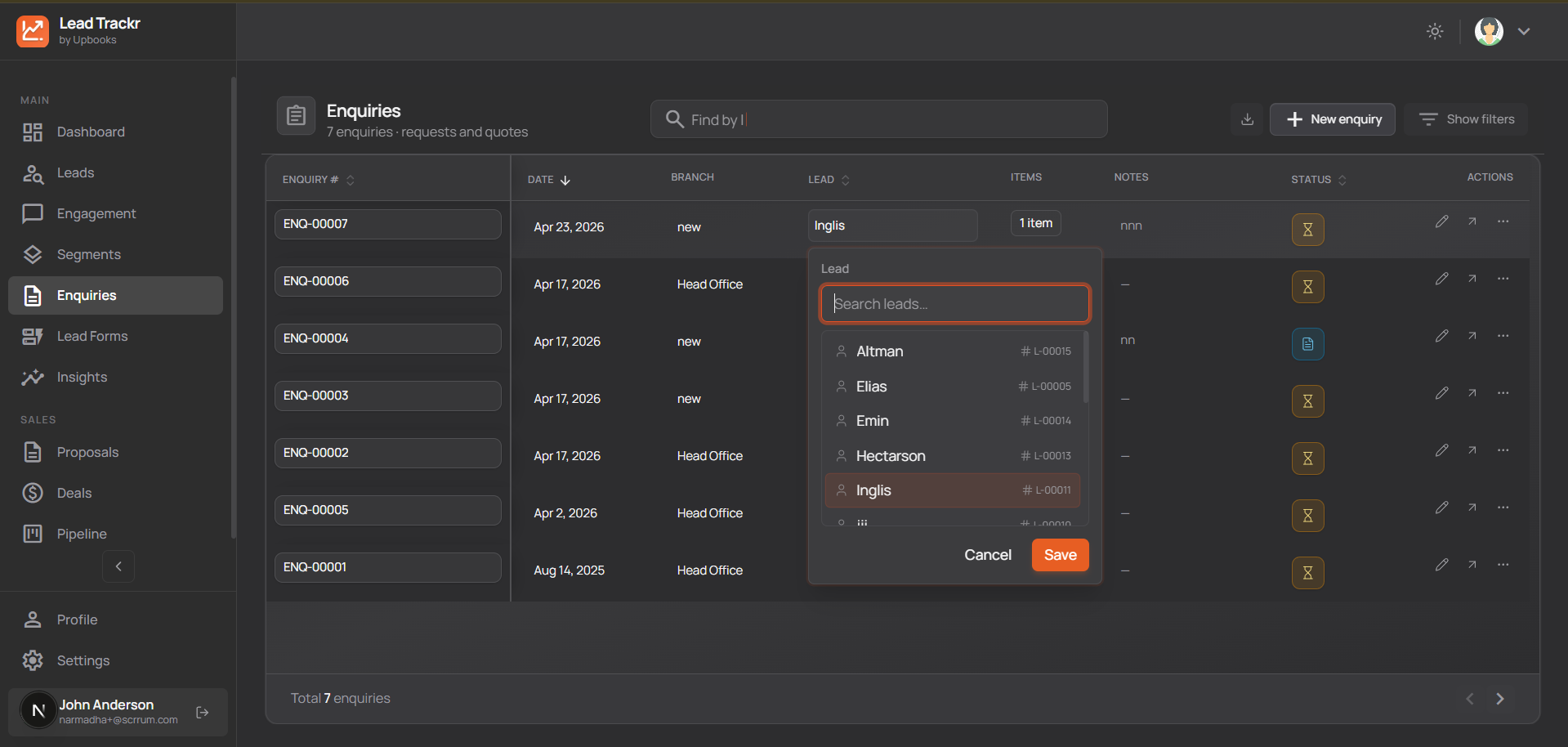
Enquiries
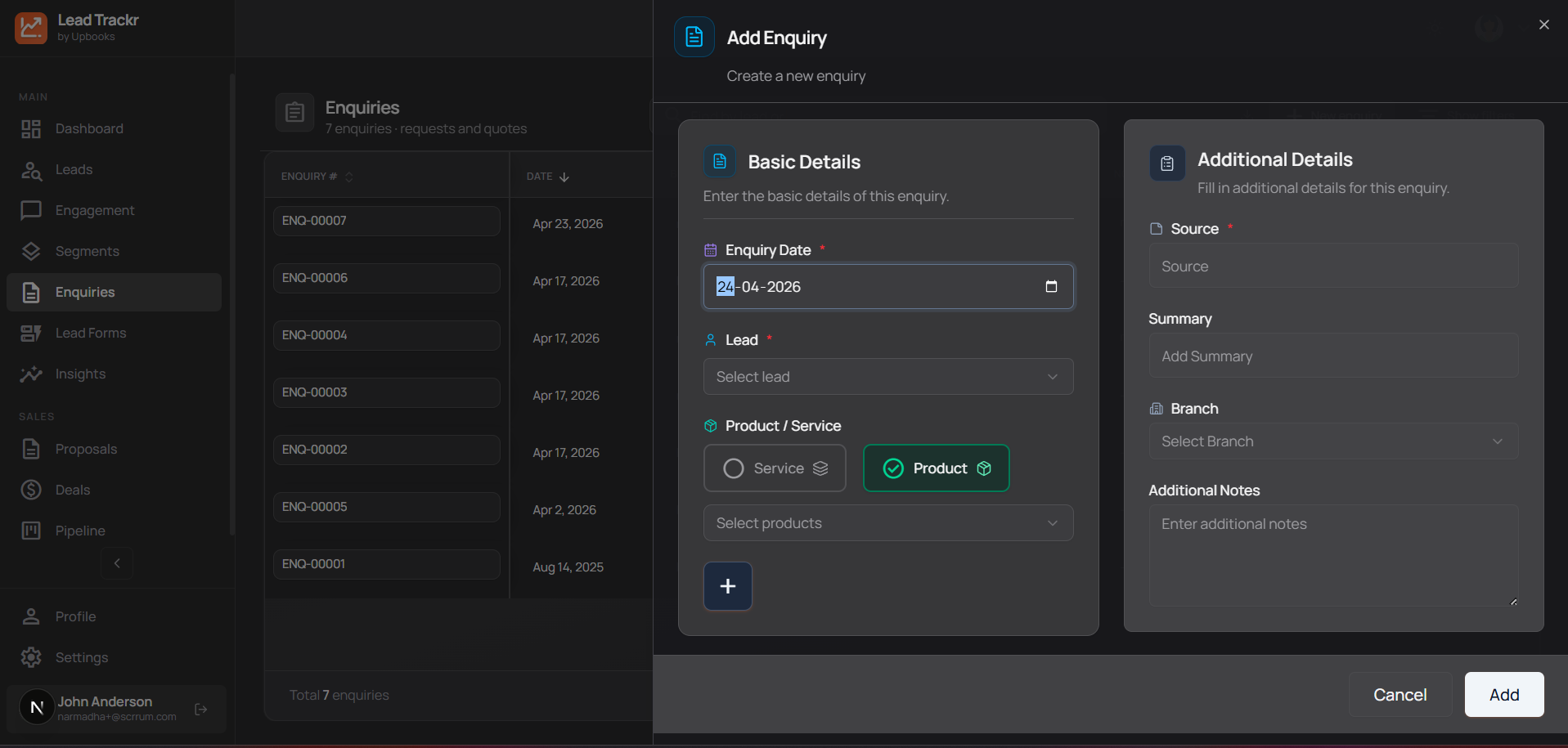
Capture every request in one place
- All product or service enquiries (from leads or existing clients) stored with date, items, and notes.
- Each enquiry is tied to a lead or client so you see the full relationship and history.
- Add products or services, quantities, and notes so enquiries are ready to turn into proposals.
- Filter and search enquiries by status, date, branch, or lead.
- Create a proposal from an enquiry in one click so you respond faster and don’t lose deals.
Why it matters
No enquiry forgotten, faster quotes, and a clear path from enquiry to proposal.
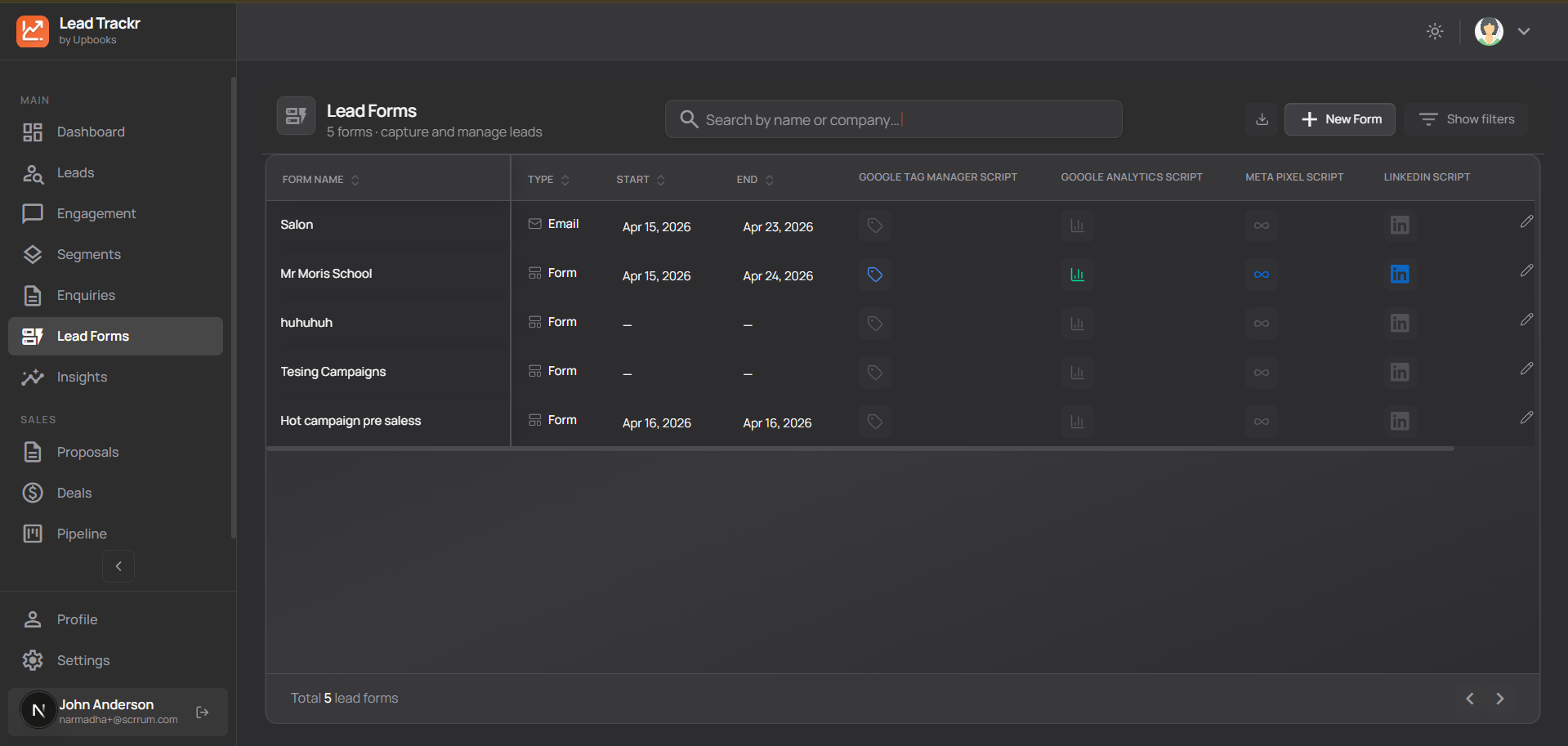
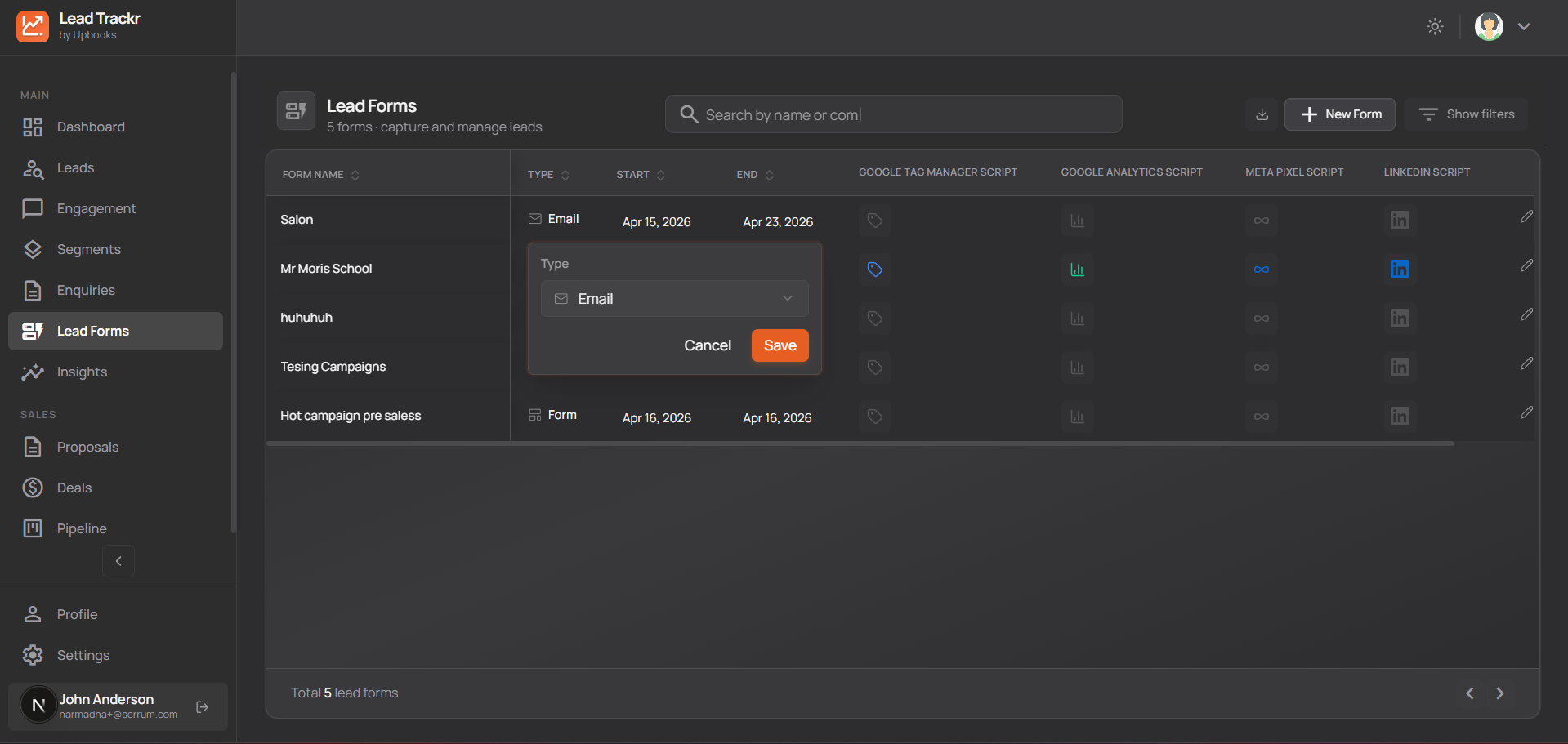
Campaigns
Track all your marketing campaigns
- See campaign name, dates, type, and status in one list so you know what’s running and when it ends.
- View how many leads came from each campaign and how much you’ve spent so you can judge ROI.
- Open a campaign to see and manage the leads it generated; add new leads or move them through your pipeline.
- Overview shows active campaigns, spend, and new leads so you can double down on what works.
Why it matters
Know which campaigns bring results and which to pause or improve; better use of marketing budget.
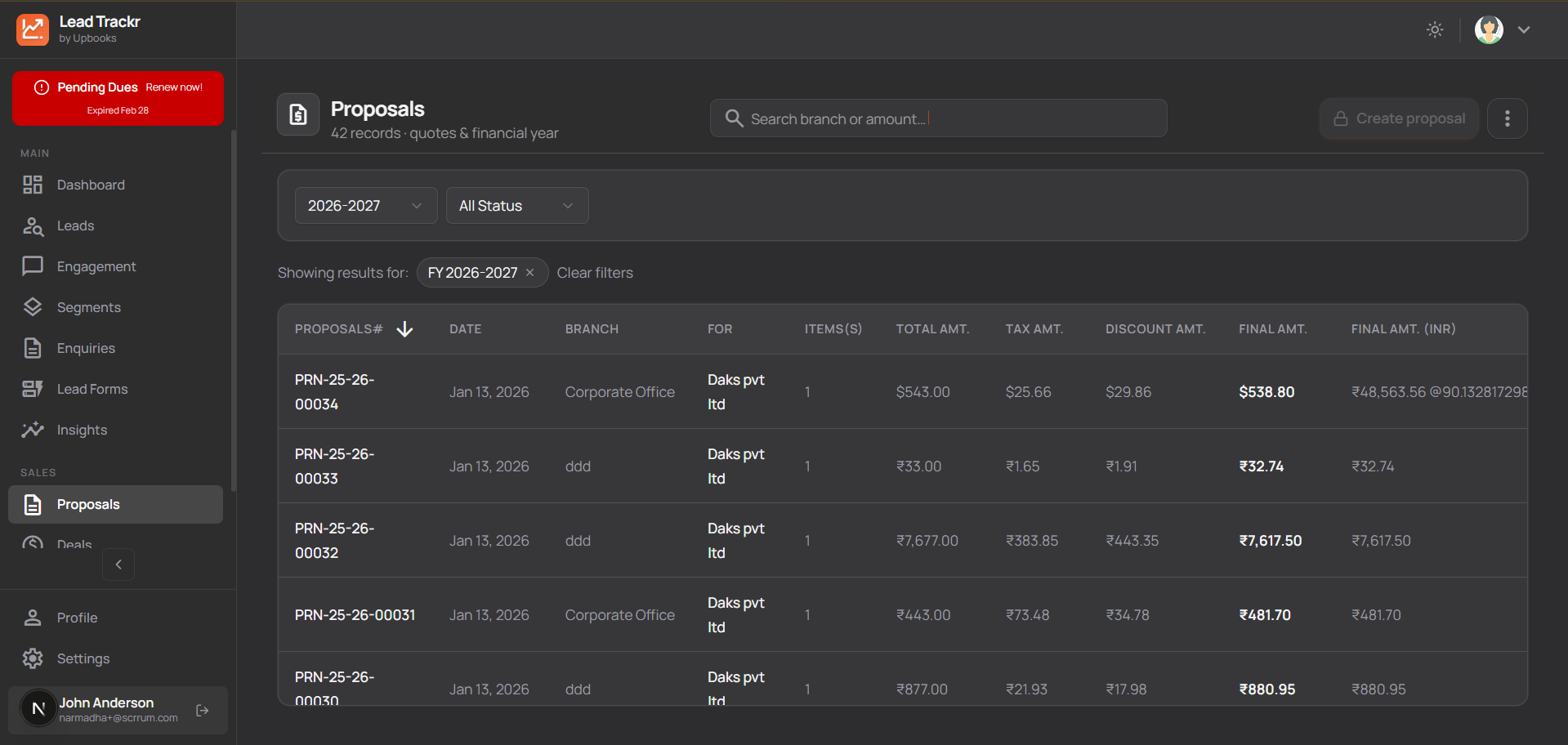
Proposals (Quotes)
Create professional quotes quickly
- Build proposals with client/lead details, products or services, quantities, prices, taxes, and discounts.
- Use your business name, logo, and templates so they look consistent and professional.
- Pick from multiple proposal layouts that fit your business.
- Track proposal status: draft, sent, accepted, or rejected.
- Filter by date and year; download or share proposal PDFs.
- Turn a won proposal into an order in one step so sales flow from quote to delivery.
Why it matters
Faster, more professional quotes; fewer errors; clear status; smooth path from quote to order.
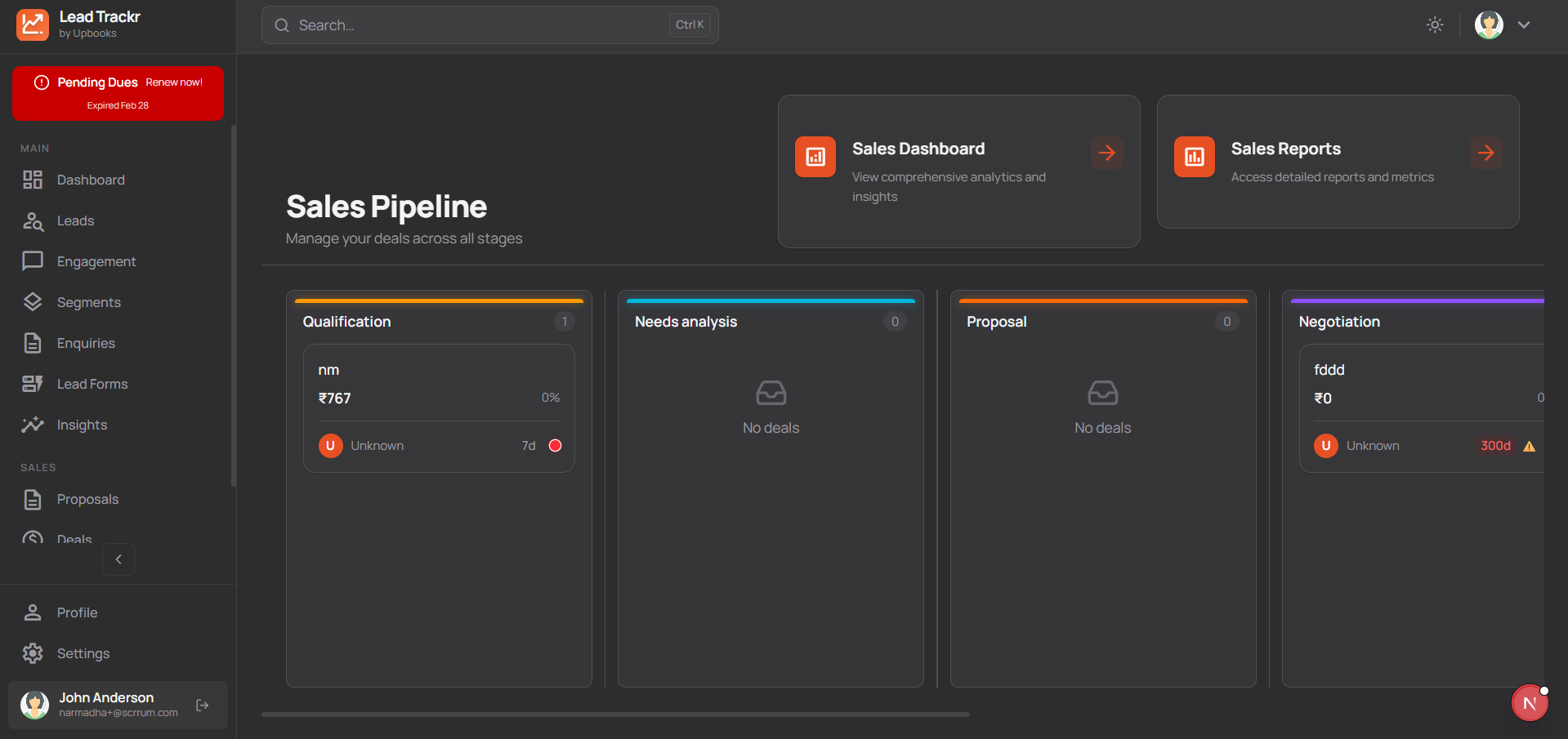
Sales Pipeline
See every deal on one board
- Deals move through stages (e.g. Prospecting → Qualification → Proposal → Negotiation → Won/Lost) on a visual board.
- Drag a deal to a new stage when the customer moves forward or backward so the pipeline is always up to date.
- Each deal shows amount and win probability so you can forecast and prioritize.
- Deals assigned to team members so responsibility is clear.
- Deals that sit too long in a stage are highlighted so you can follow up before they go cold.
- Click a deal to view and edit all information in one place.
Why it matters
Accurate pipeline visibility, better forecasting, and fewer deals stuck or forgotten.
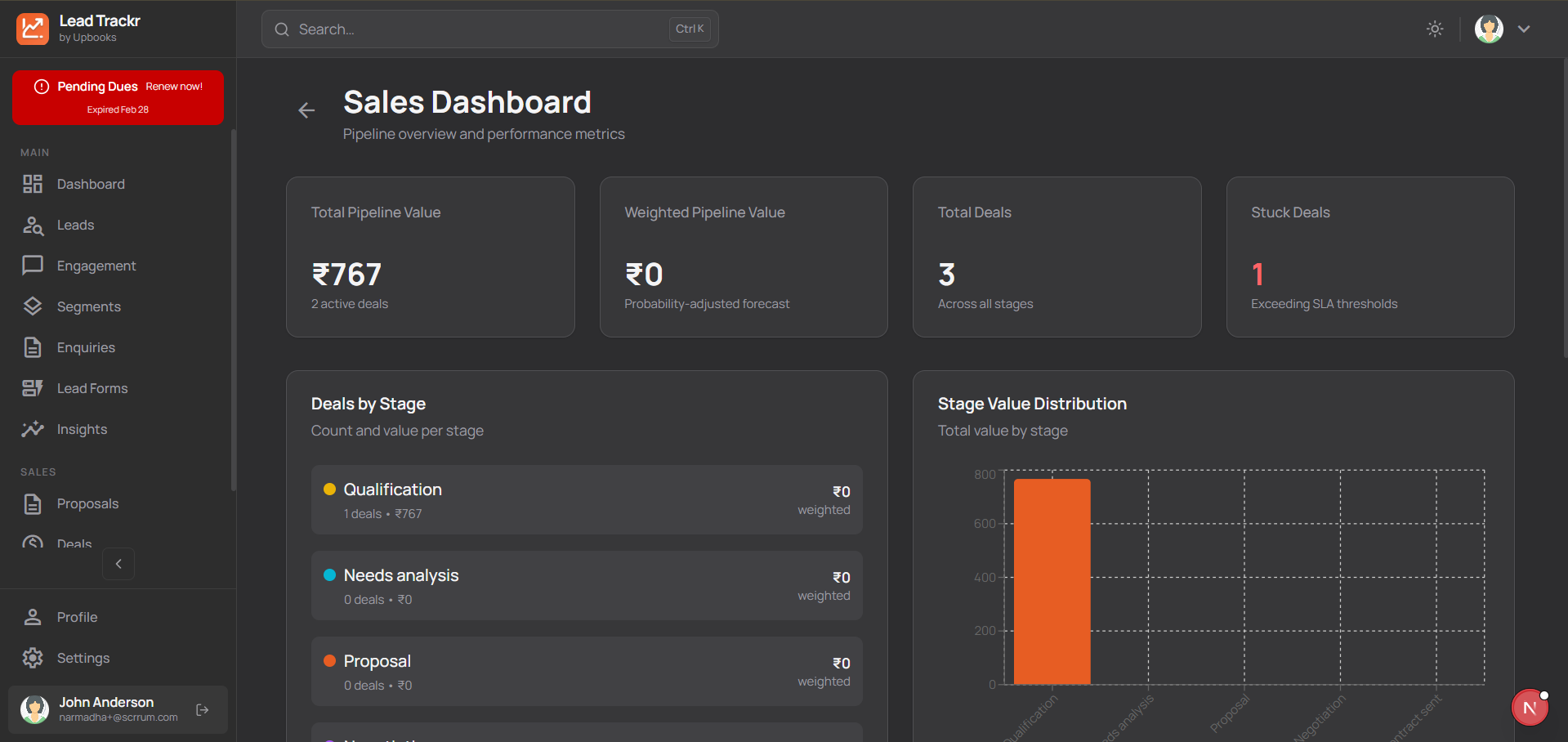
Sales Dashboard
See total value of your pipeline
- Total and “expected” (weighted) pipeline value so you know what might close.
- See how much value and how many deals are in each stage so you can balance effort across the funnel.
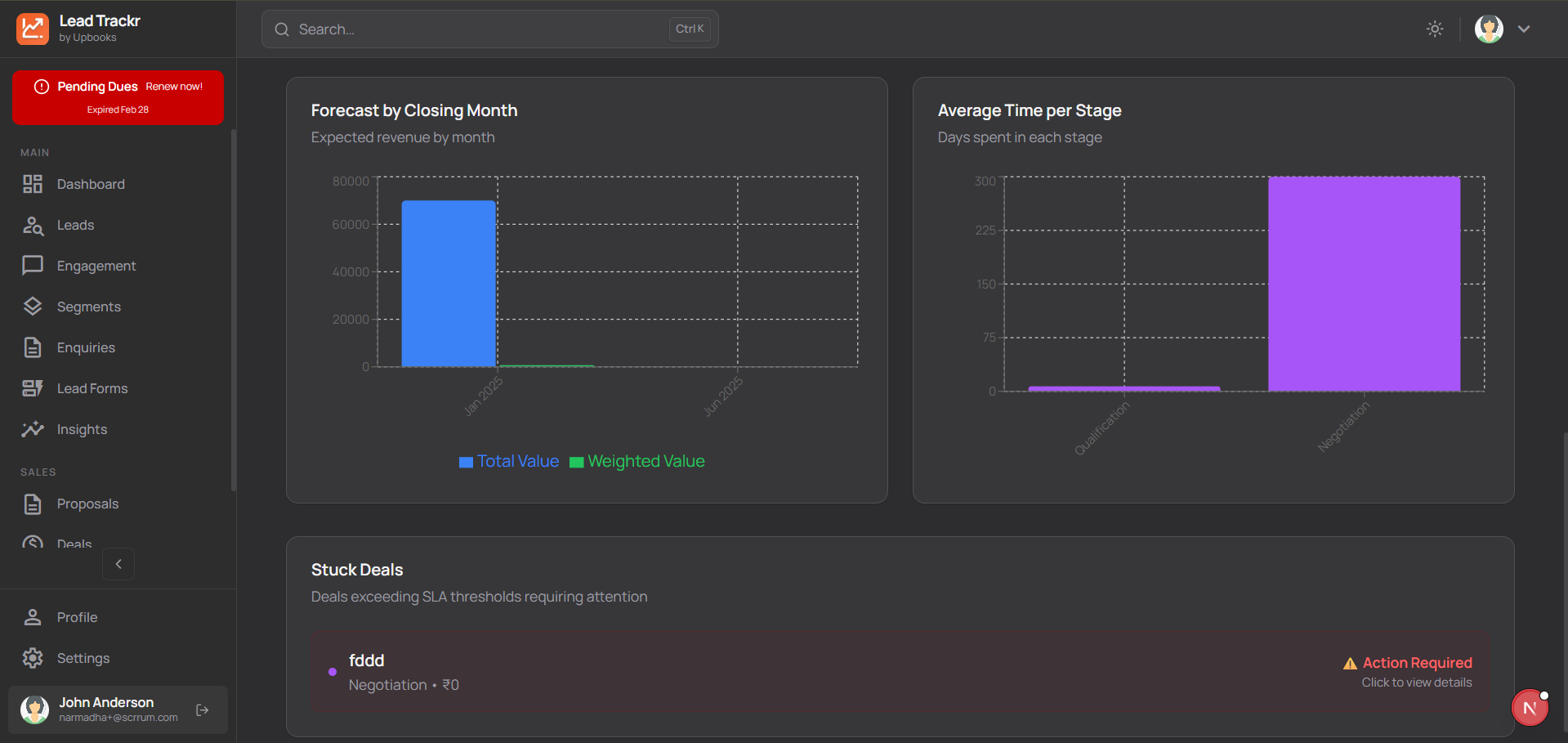
- View expected revenue by month to plan resources and set targets.
- Average time per stage helps you improve speed and spot bottlenecks.
- Deals that exceed normal time in a stage are listed so you can act on them.
- One click from the dashboard to the pipeline to work on specific deals.
Why it matters
Realistic revenue forecasts, better resource planning, and faster deal progression.
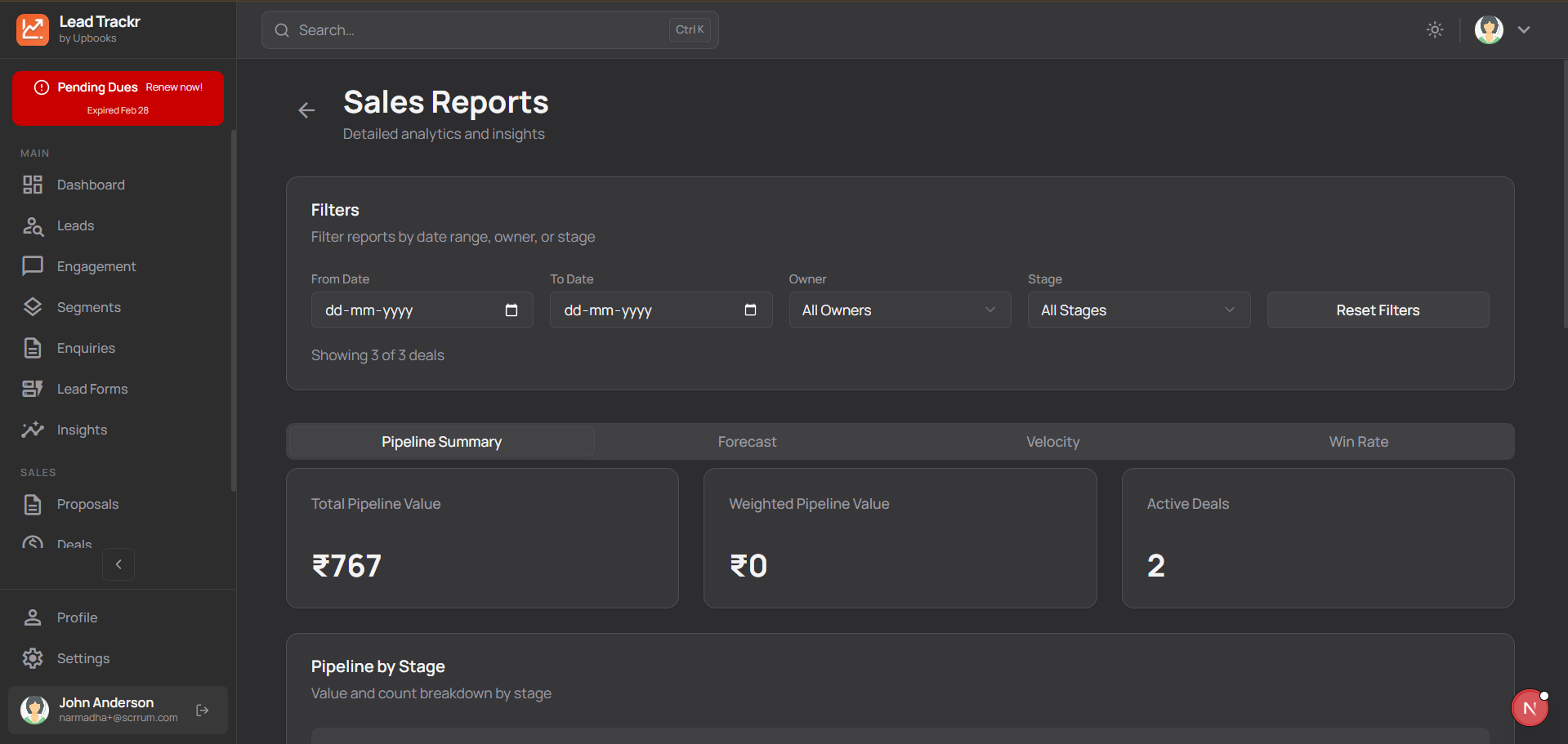
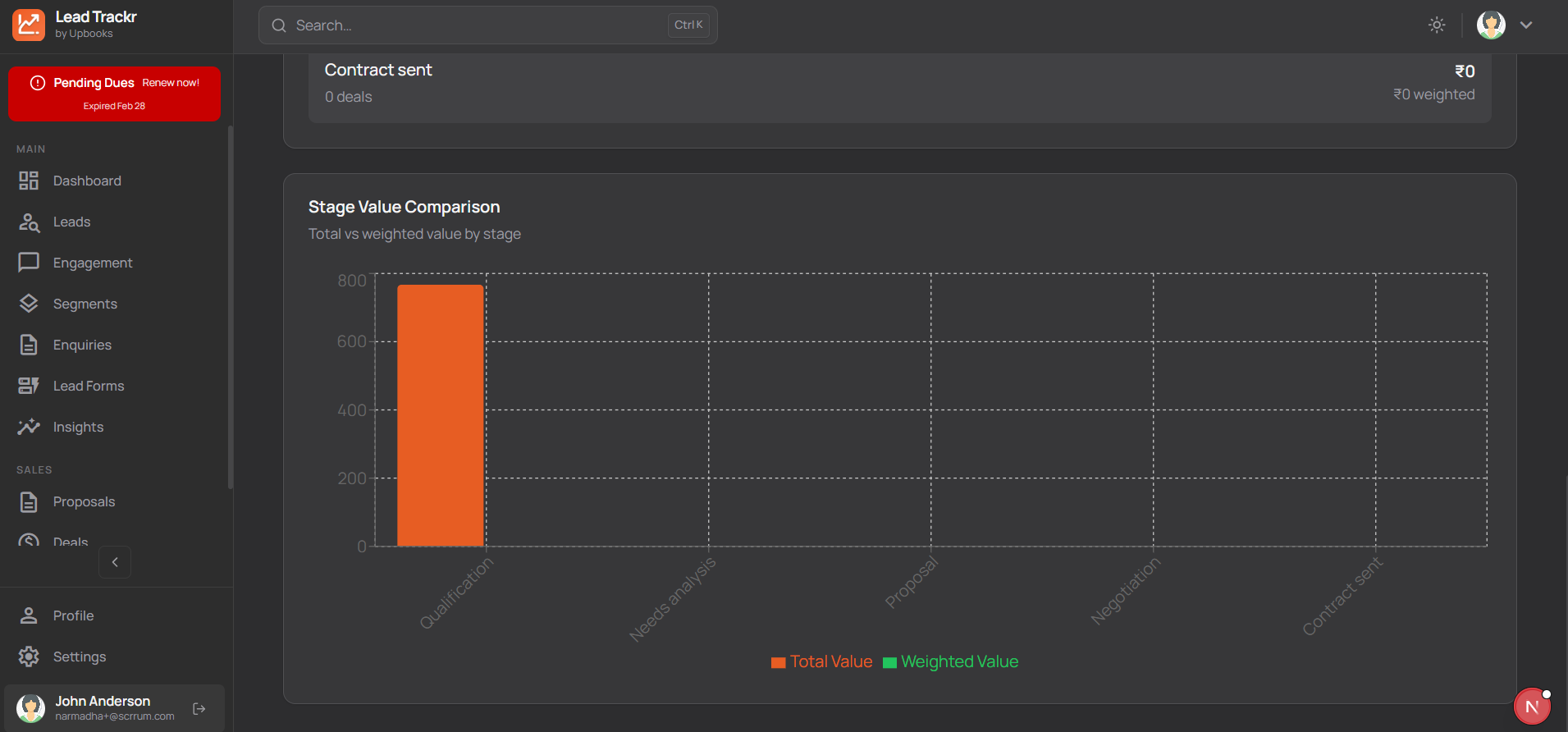
Sales Reports
Analyze performance over time
- Filter by date range to see how pipeline and wins changed in a period.
- Filter by owner to see who’s bringing in deals and closing so you can coach and reward fairly.
- Filter by stage to see where value is piling up or where deals are stalling.
- Reports show pipeline value, closed-won, and closed-lost so you can improve win rates and process.
Why it matters
Data-driven decisions on hiring, training, and process; clearer accountability.
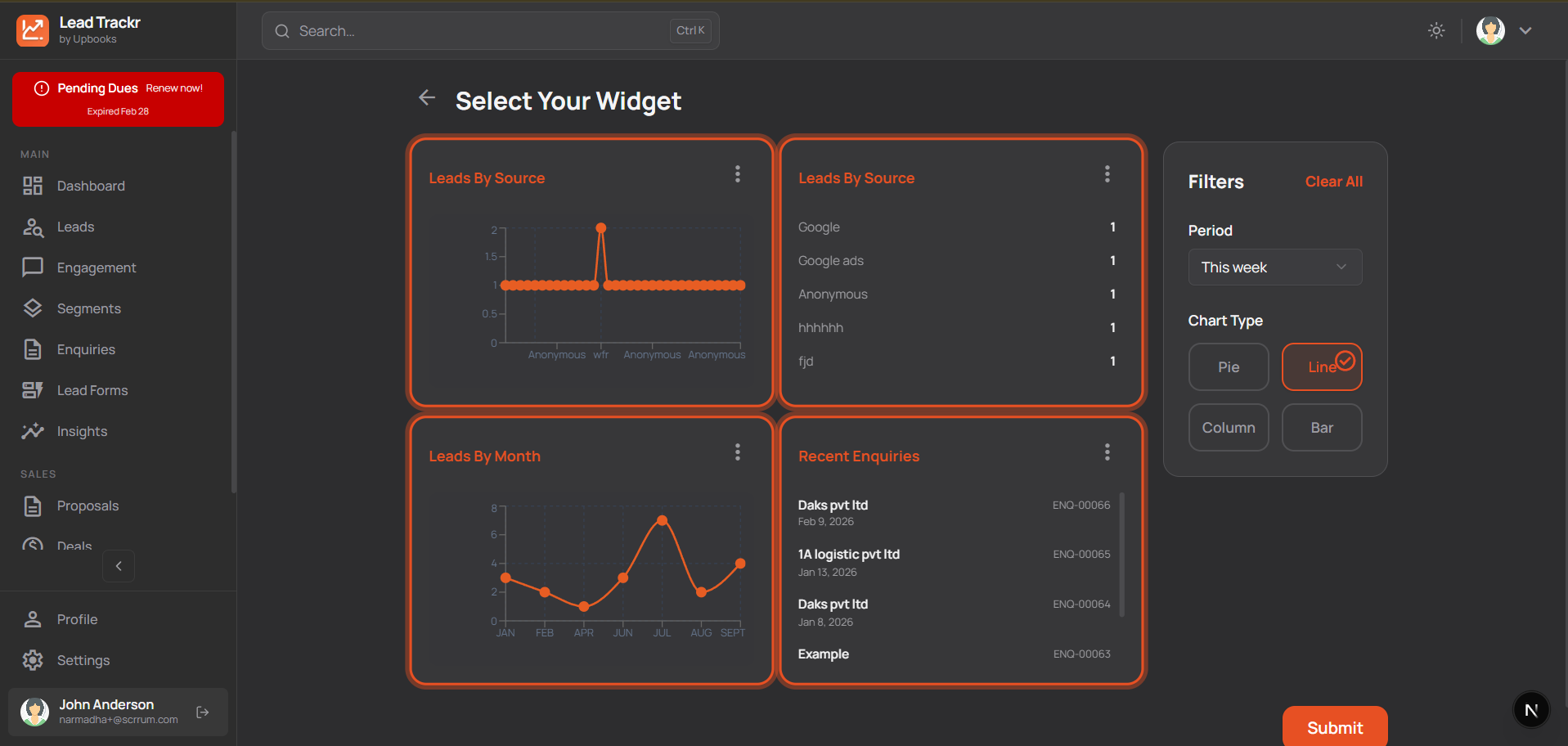
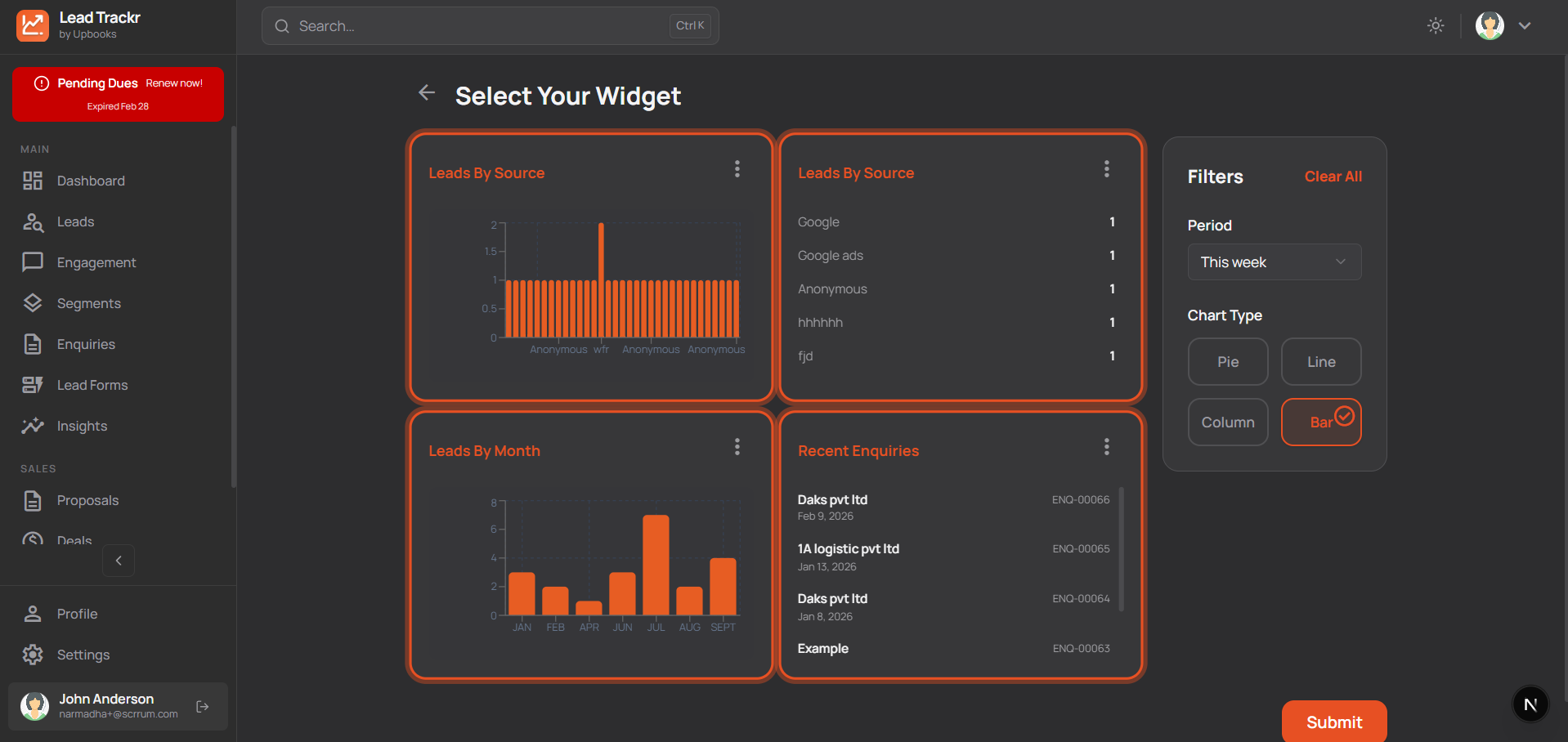
Widgets & Charts
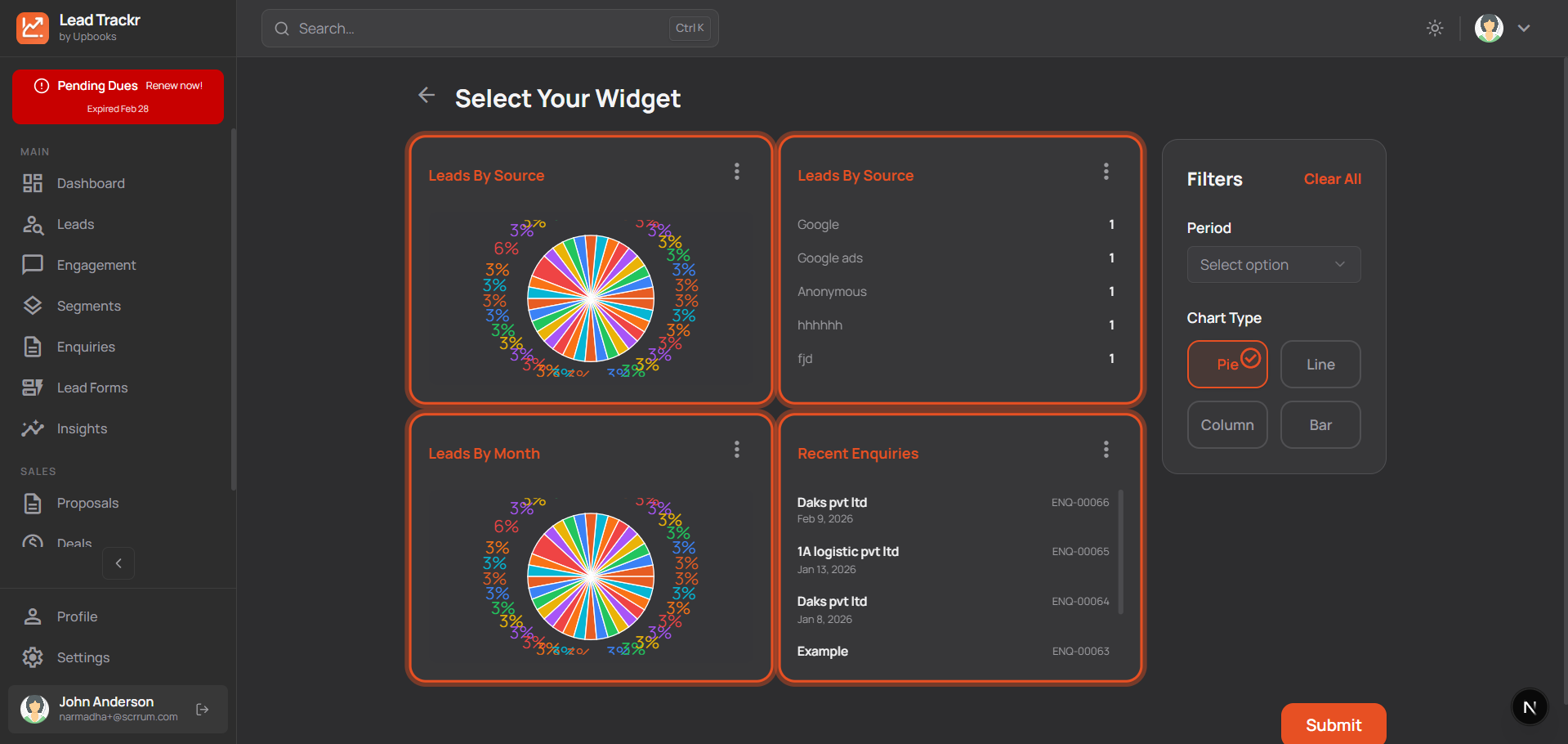
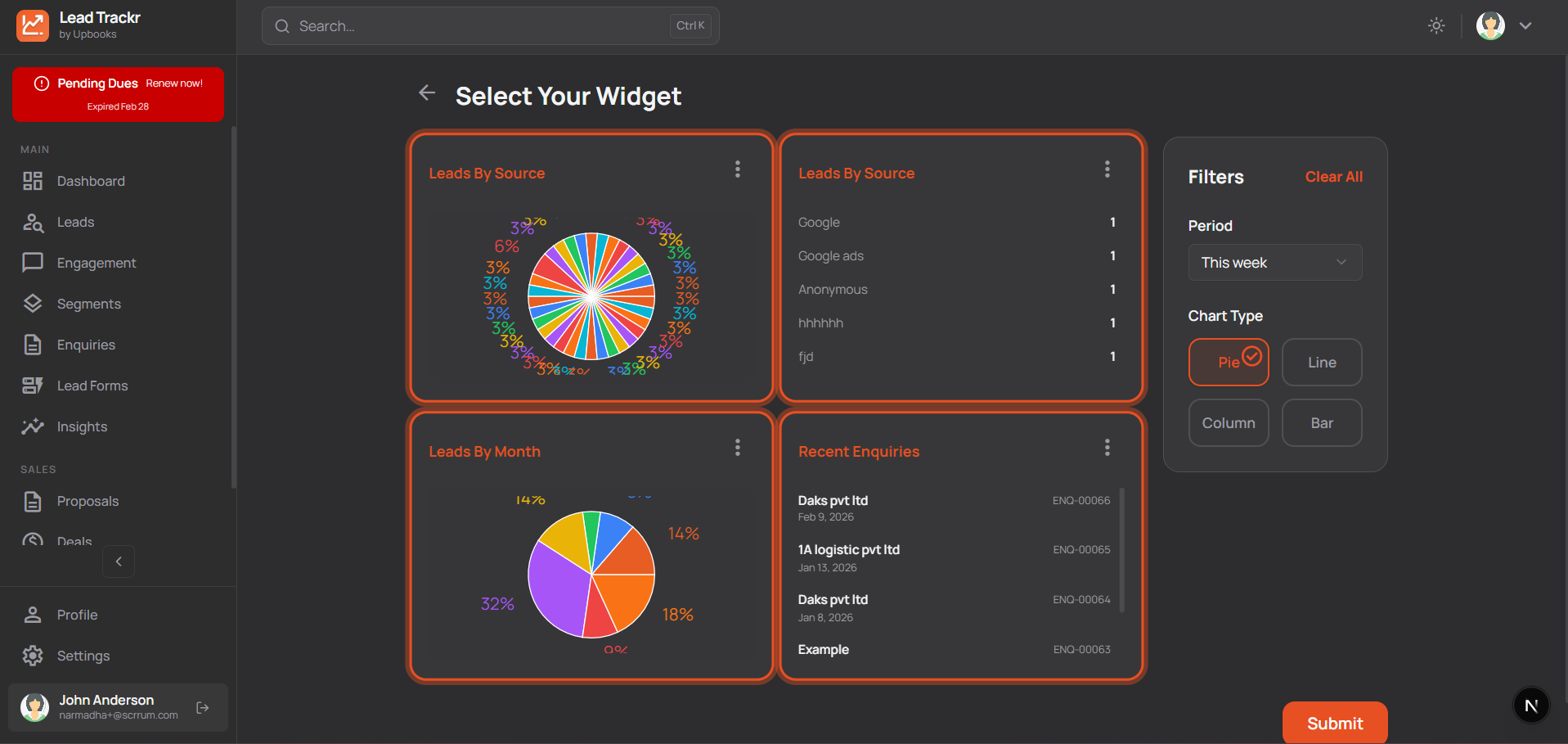
View and customize your data
- Open any dashboard chart in a full-screen view for presentations or analysis.
- Switch between “this month”, “this quarter”, “this financial year” to see different periods without leaving the page.
- For some widgets switch between pie, bar, line, or column to the view that’s easiest to understand.
- Add or remove widgets on your dashboard so you see what matters most.
Why it matters
Present numbers clearly to stakeholders and explore data without switching tools.
User Management
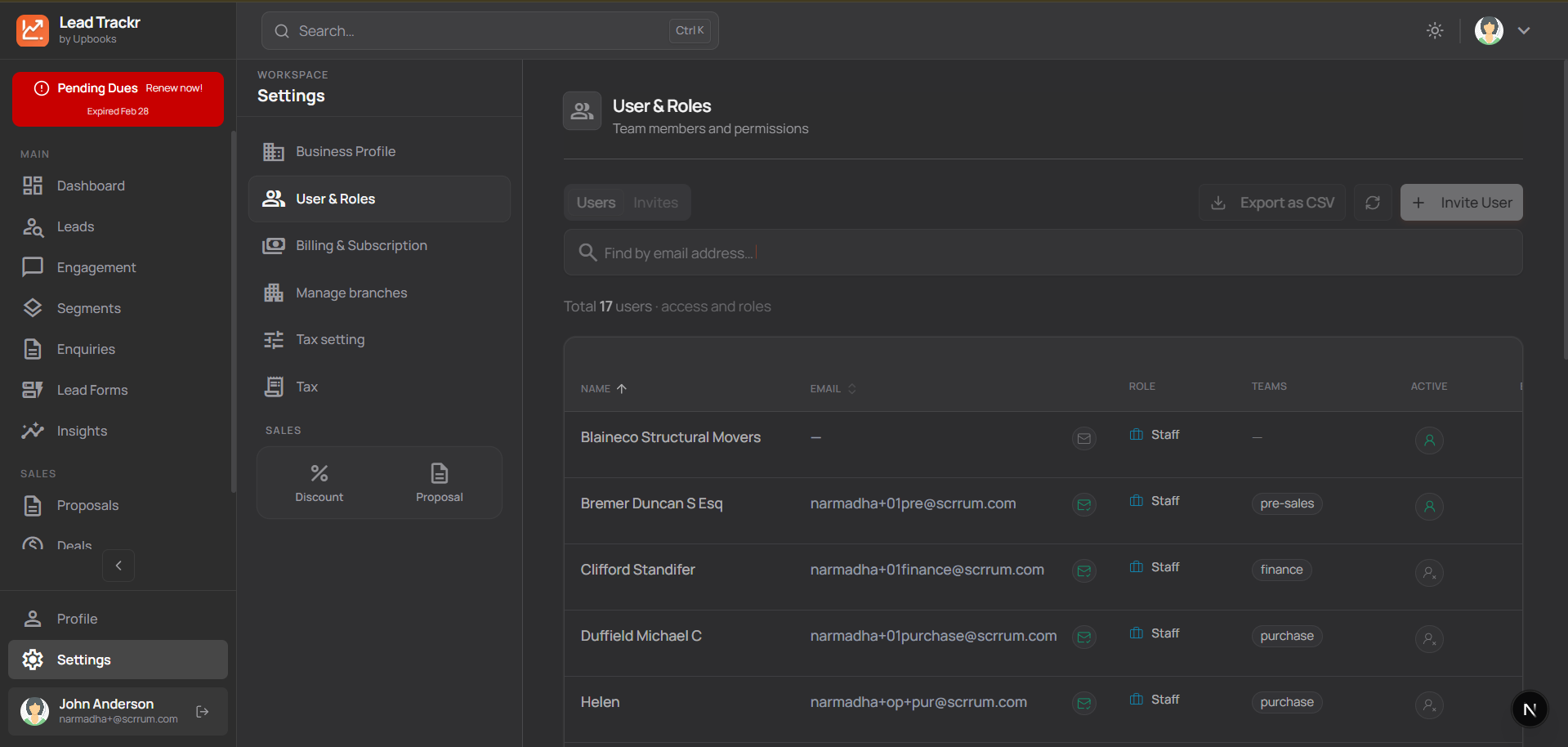
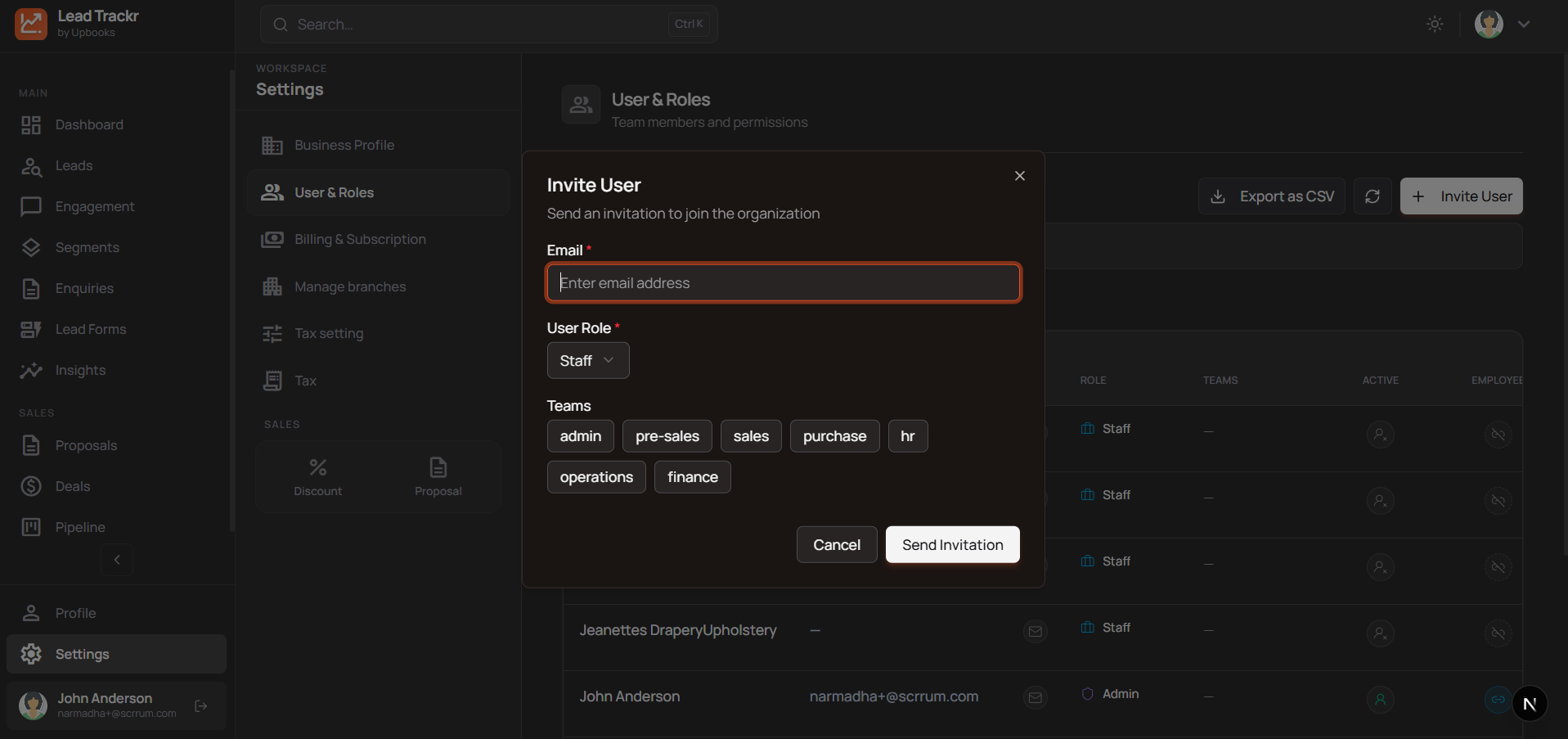
Invite and control access
- Add users by email so they can log in and work in the same account.
- Manage who is active so only the right people see leads, deals, and settings.
- Assign roles (e.g. admin, sales, viewer) so data stays secure and workflows stay clear.
- Link users to employee records where applicable for a single view of who does what.
- Export a list of users for audits or onboarding.
Why it matters
Safe, organized team access and clear responsibility without sharing one login.
One platform. Every lead. Clear pipeline.
LeadTrackr helps you capture every lead, track every enquiry, send professional proposals, and see your sales pipeline in one place—so you close more deals and grow without the chaos.
Browse our plans
Choose what's best for your organization and pay only for what you want to use.
*Prices are exclusive of GST
Free
Perfect for getting started
/ Month
- ✕Leads & Enquiries
- ✕Segments & Campaigns
- ✕Branches & Warehouse
Basic
For small teams
/ Month (Billed annually)
Billed yearly- ✕Leads & Enquiries
- ✕Segments & Campaigns
- ✕Branches & Warehouse
Startup
For growing teams
/ Month (Billed annually)
Billed yearly- ✓Access to LeadTrackr
- ✓200 Leads & Enquiries
- ✓20 Segments & 5 Campaigns
- ✓2 Branches & 1 Warehouse
Growth
For scale
/ Month (Billed annually)
Billed yearly- ✓Leads & Enquiries
- ✓Segments & Campaigns
- ✓Branches & Warehouse
- ✓Deals & Contracts
- ✓Form & Field Customizations
- ✓Upto 5 Sales Channels
Growth Plus
For advanced businesses
/ Month (Billed annually)
Billed yearly- ✓Everything in Growth
- ✓Product Bundles
- ✓Item Price Levels
- ✓Customer Groups & Hierarchy
- ✓Assets Management
- ✓Profit & Cost Centers
- ✓Custom Roles & Permissions
- ✓Template Customization
- ✓Recurring Tasks
- ✓MCP Server & Ask AI
- ✓10 GB Storage Included
- ✓Custom Domains