See what's free now. Book in one click.
Confero gives your team live room status, multi-office support, and simple sign-in with email, OTP, or Google/Microsoft/LinkedIn/Apple. Less wasted time, fewer conflicts, professional image.
Certified Security
ISO 27001:2022 - IAF recognized
✓ Live room status • ✓ Multiple offices • ✓ Fewer double-bookings
Everything you need for meeting room booking
Seven core areas that make booking simple and conflict-free
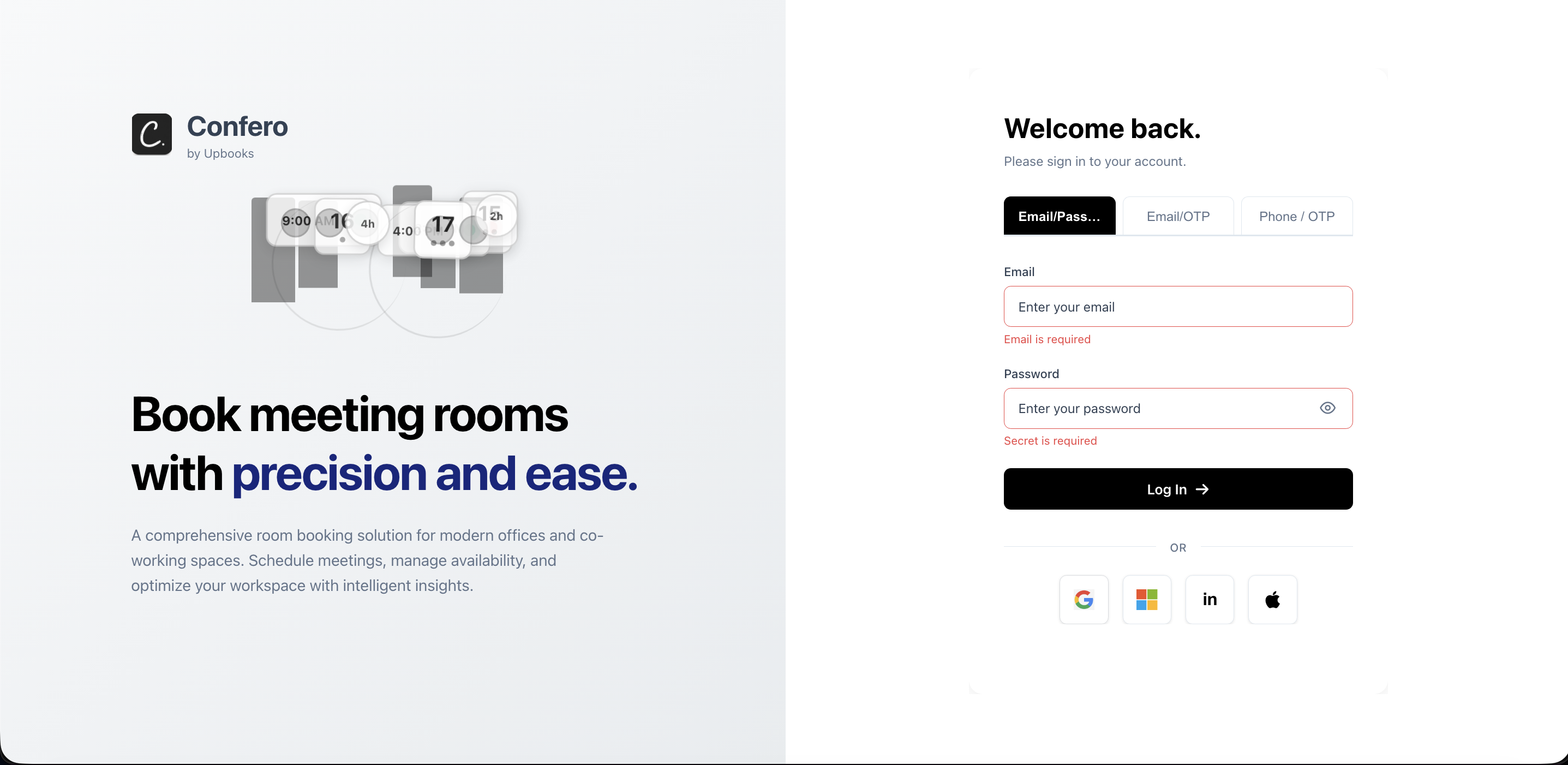
Sign In & Account
Sign in with email, password, or one-time code. Or use Google, Microsoft, LinkedIn, or Apple. One login for multiple offices.
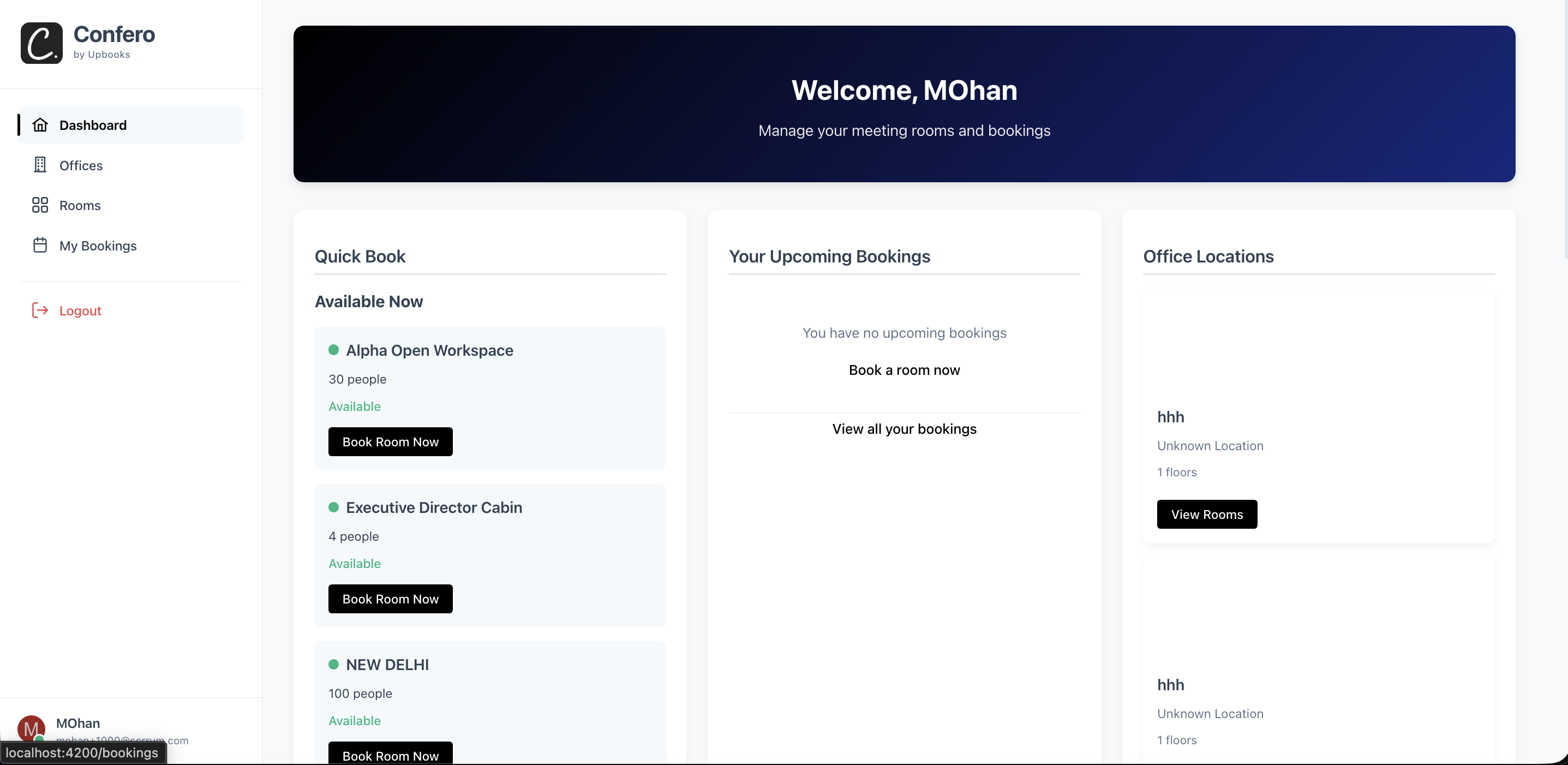
Dashboard
Quick view of free rooms now, one-click book, your next meetings, and office locations at a glance.
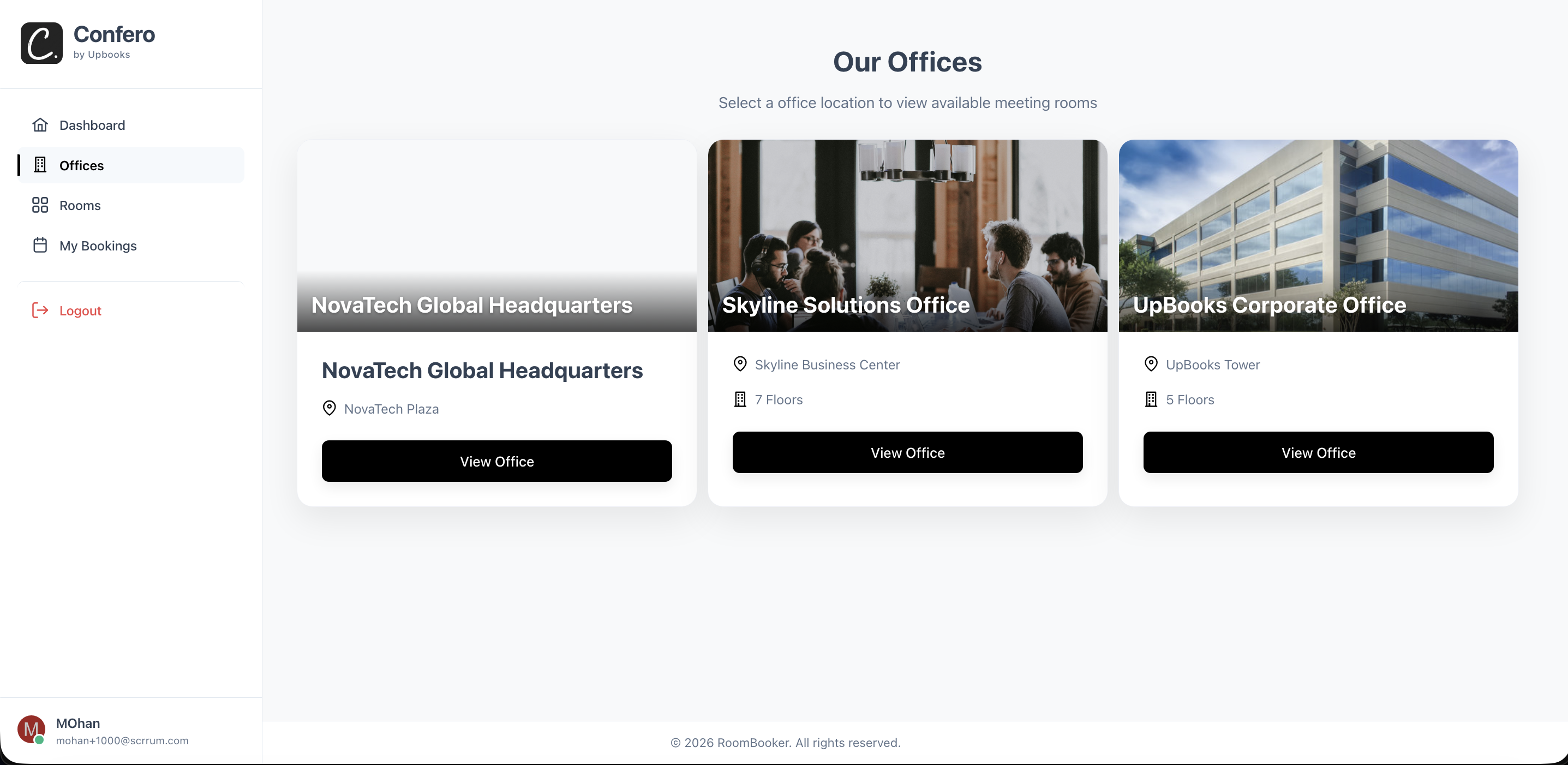
Offices
Browse all office locations. Go from office to its rooms. Pick location → pick room → book.
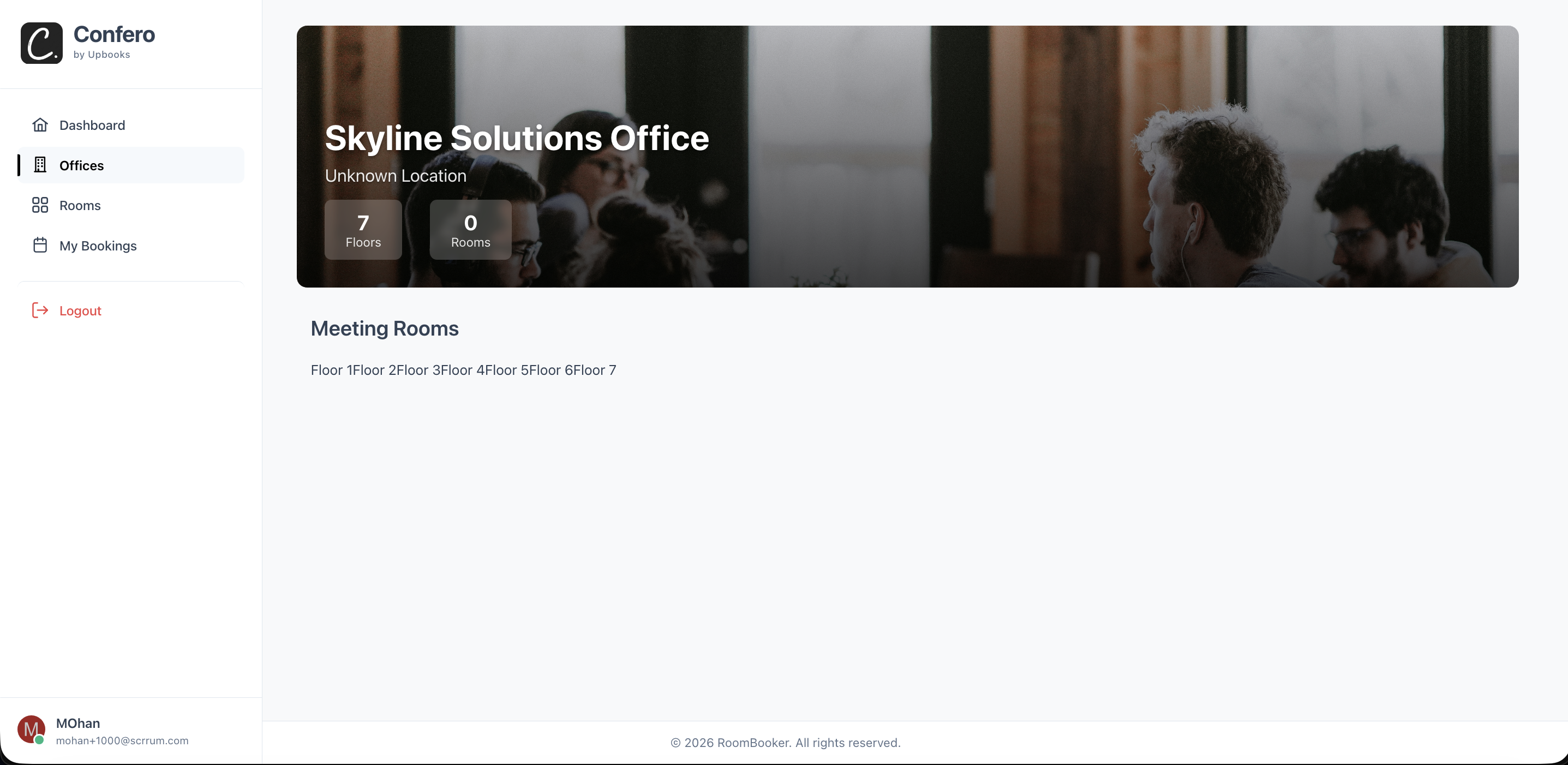
Office Detail
Rooms grouped by floor. See if a room is free before clicking. Book or view details from the same screen.
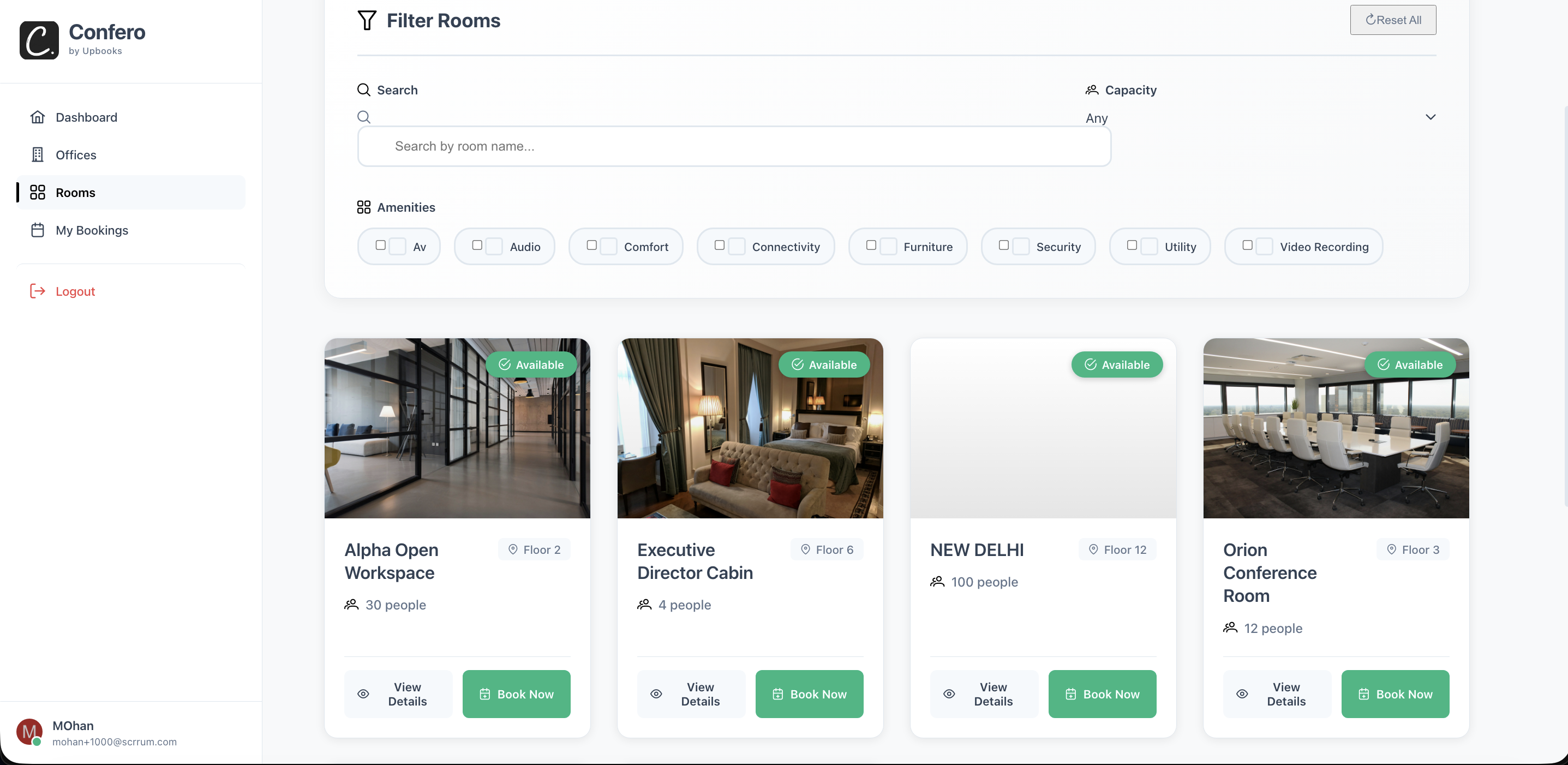
All Meeting Rooms
Find by name, filter by capacity and amenities. Live availability on each card. Reset filters in one click.
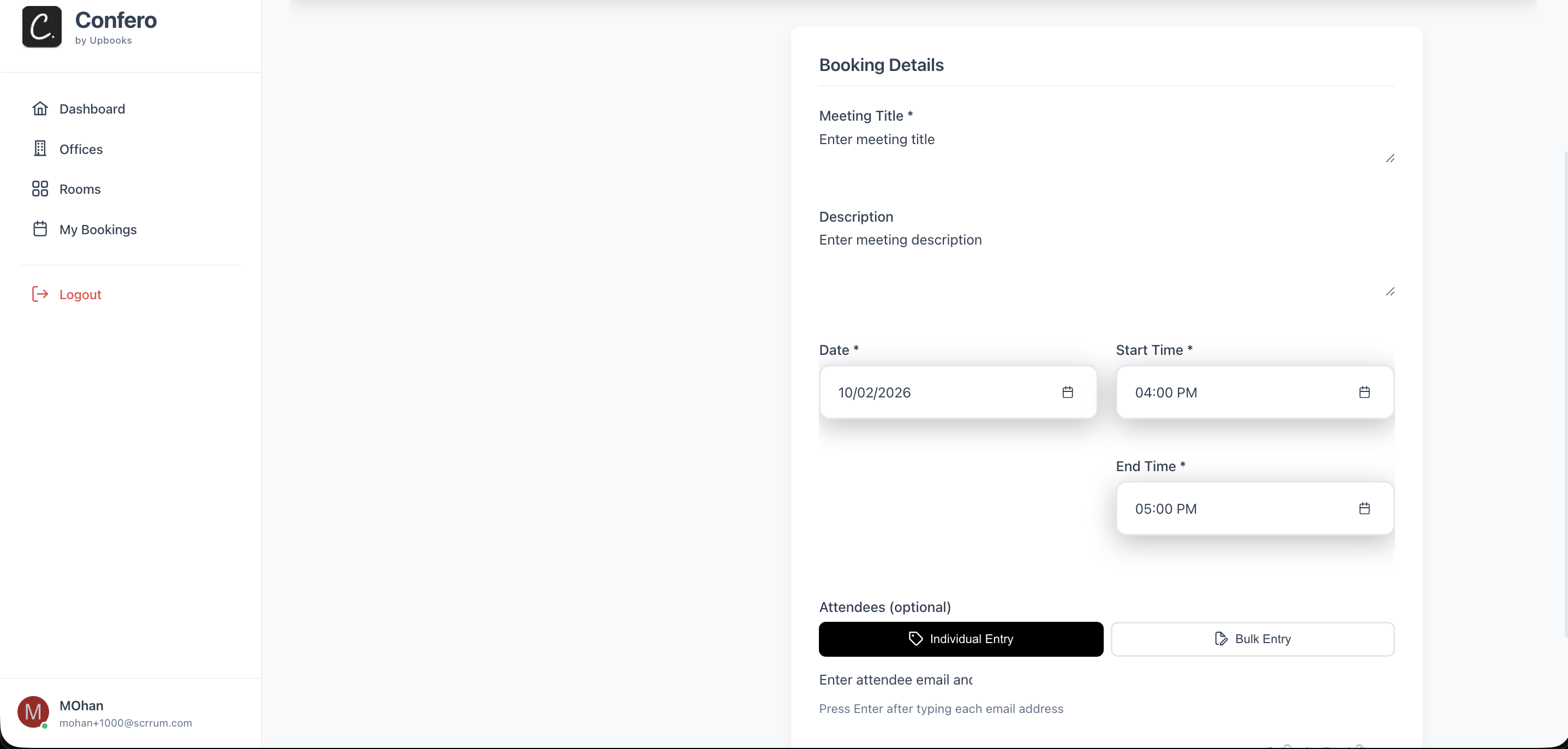
Book a Room
Simple form: title, date, time, attendees. Avoid double-booking. Edit or cancel anytime. Pre-filled time from slot.
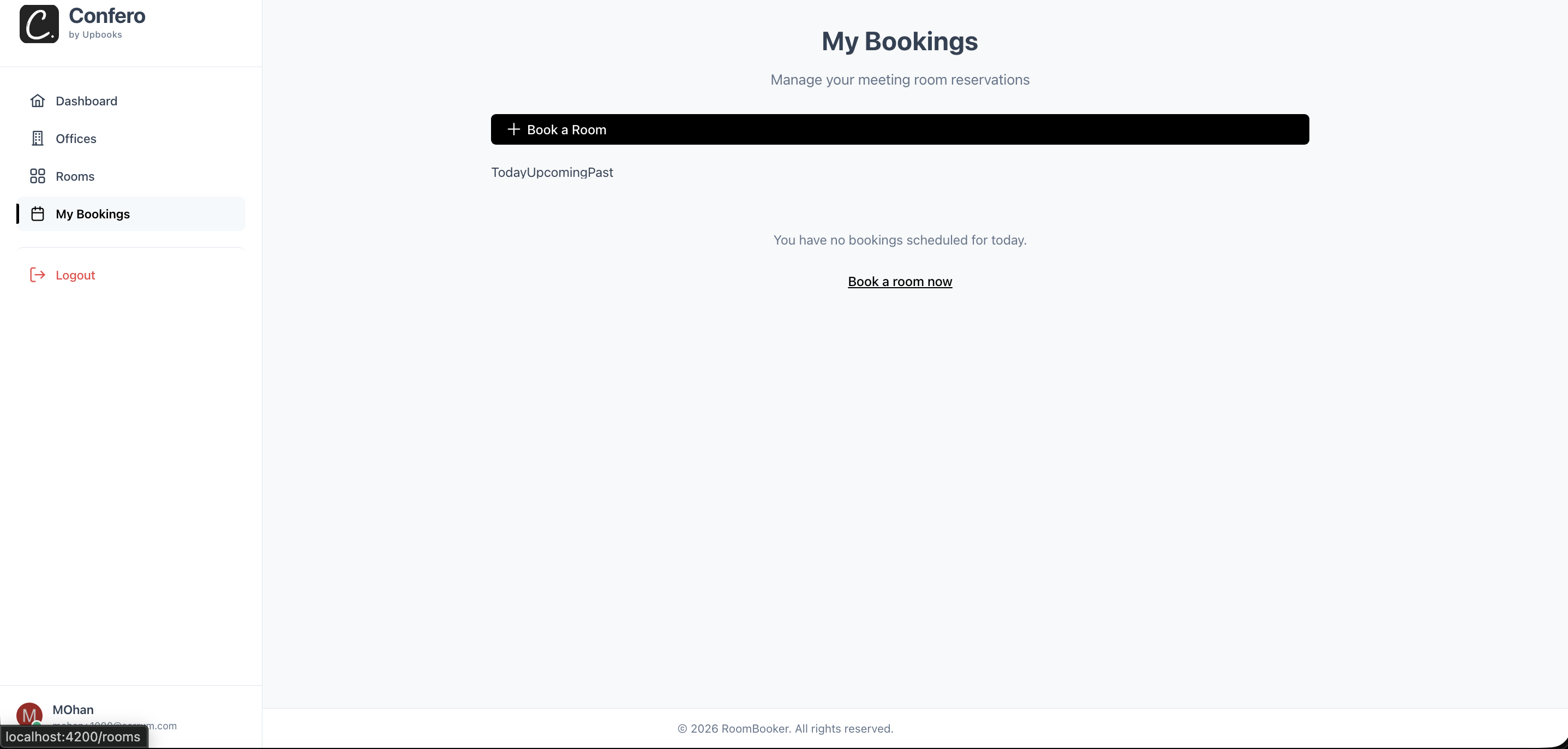
My Bookings
Today / Upcoming / Past tabs. Manage or cancel. Book again from past. Quick action to book a new room.
Sign In & Account
Multiple ways to get in
- Sign in with email and password, or with a one-time code sent to email or phone. No need to remember passwords; quick access from any device.
- One-click sign in with Google, Microsoft, LinkedIn, or Apple. Fewer steps; works with accounts people already use for work.
- New users can register with email or phone; optional invite code for controlled access. Onboarding is simple; you control who can join.
- If a user belongs to more than one organization, they pick which one to use after signing in. One login for multiple offices; no mixing of data.
Why it helps your business
Professional image with clear sign-in options. Staff and guests get in quickly without friction. You control access and which data they see.
Dashboard (Home After Login)
Quick view of what matters
- See a short list of rooms that are free right now. Decide in seconds whether you can grab a room without walking around.
- From "Available now" rooms, you can go straight to booking. Less clicking; faster booking when you're in a hurry.
- Your next few meetings (e.g. next 3) with date, time, and room; link to manage each. Stay on top of the day without opening a separate calendar.
- List of offices with image, name, location, and number of floors; link to view rooms per office. Easy to choose "which building" before choosing a room.
Why it helps your business
Less wasted time. One place to see availability and your day. No need to walk the halls to find a free room.
Offices
All locations in one place
- Browse all office locations: list of offices with location (e.g. city/address), floors, and room count. One place to see all sites; useful for multi-location businesses.
- Click an office to see its meeting rooms and book from there. Flow is: pick location → pick room → book; fewer wrong-building bookings.
Why it helps your business
Scales with multiple offices. One system for all locations; users pick office then room. No confusion between buildings.
Office Detail (Single Office)
Rooms by floor, status at a glance
- Rooms shown in tabs by floor (Floor 1, Floor 2, …). Find rooms by floor the way people think in real life.
- Each room shows status: Available, Occupied, or Available soon. No wasted time opening rooms that are already taken.
- "View Details" and "Book now" (when available) from the office view. Fewer steps; book without opening multiple pages.
Why it helps your business
Better use of space. Right-sized and right-equipped rooms; visibility of occupancy supports planning.
All Meeting Rooms
Find and filter the right room
- Find rooms by name: type part of a room name and see matching rooms instantly. Fast when you know the room name.
- Filter by capacity ranges (e.g. 1–4, 5–8, 9–12, 13+). Only see rooms that fit your meeting size.
- Filter by equipment and amenities (e.g. projector, video call, whiteboard). Get the right room for the type of meeting.
- "Reset" clears search and all filters in one click. Each room card shows Available / Occupied / Available soon.
Why it helps your business
Fewer conflicts. Live status and availability checks reduce booking clashes. Right room for the right meeting.
Book a Room / Booking Form
Simple form, no double-booking
- Simple booking form: meeting title, optional description, date, start time, end time. One form to capture what's needed.
- Add attendees by email (e.g. one per chip). Record who's invited; useful for reminders or follow-up.
- System checks if the room is free for the chosen time before saving. Fewer conflicts and awkward "room already taken" situations.
- Summary before saving; edit existing bookings or cancel with confirmation. Pre-filled date and time when coming from "Book this slot".
Why it helps your business
Control and clarity. Fewer double-bookings. Flexibility when plans change—edit or cancel without rebooking.
My Bookings
Today, upcoming, past—all in one place
- Bookings in tabs: Today, Upcoming, Past. Focus on "what's today" or "what's next" without scrolling a long list.
- Each booking shows room name, date, time range, title, optional description, and attendee count.
- "Manage" opens the booking form to edit; "Cancel" cancels with confirmation. For past bookings, "Book again" takes you to book the same room.
- Prominent "Book a room" from the bookings page. Easy to add a new meeting without going back to the dashboard.
Why it helps your business
One place to update or free the room. Recurring meetings are easier to rebook. Less wasted time and fewer conflicts.
Room Status / Visualizer (Display View)
Perfect for screens outside meeting room doors
- At-a-glance status: big "Available" or "Booked" with room name and capacity. No need to open an app.
- When booked: countdown showing how much time is left. Reduces "is it free yet?" questions and interruptions.
- Today's schedule for that room with time and title; current/upcoming/past highlighted. Quick "Book now" when free.
Why it helps
Teams see at a glance if the room is free or in use. Encourages ad-hoc booking from the door.
The Confero flow
Sign in → Dashboard (see free rooms) → Pick Office → Pick Room → Book a slot → Manage in My Bookings
Sign in
Dashboard
Pick Office
Pick Room
Book slot
My Bookings
How this helps your business
What Confero delivers for your workplace
Less wasted time
See availability and book from one place; no walking to check rooms or double-booking.
Better use of space
Right-sized and right-equipped rooms; visibility of occupancy supports planning.
Professional image
Clear sign-in options and a simple booking flow make a good impression on staff and guests.
Scales with multiple offices
One system for all locations; users pick office then room.
Fewer conflicts
Live status and availability checks reduce booking clashes and confusion.
Control and clarity
Optional invite codes and organization selection help you control who uses the system and which data they see.
Ready to simplify meeting room booking?
Confero by Upbooks — meeting room booking for modern workplaces. See what's free now, book in one click, manage multiple offices.
Enterprise
For large organizations
Talk to our team for a tailored plan
Contact Sales