See, track, and move work—all in one place
FlowForge lets your team see what needs work, where it is, and move it through the process. Production flow, simplified. Optimized for tablets and the shop floor.
Certified Security
ISO 27001:2022 - IAF recognized
✓ Modules made for you • ✓ No bulky implementations • ✓ Your factory floor, in one app
Everything you need for production flow
Ten core capabilities that streamline your factory operations
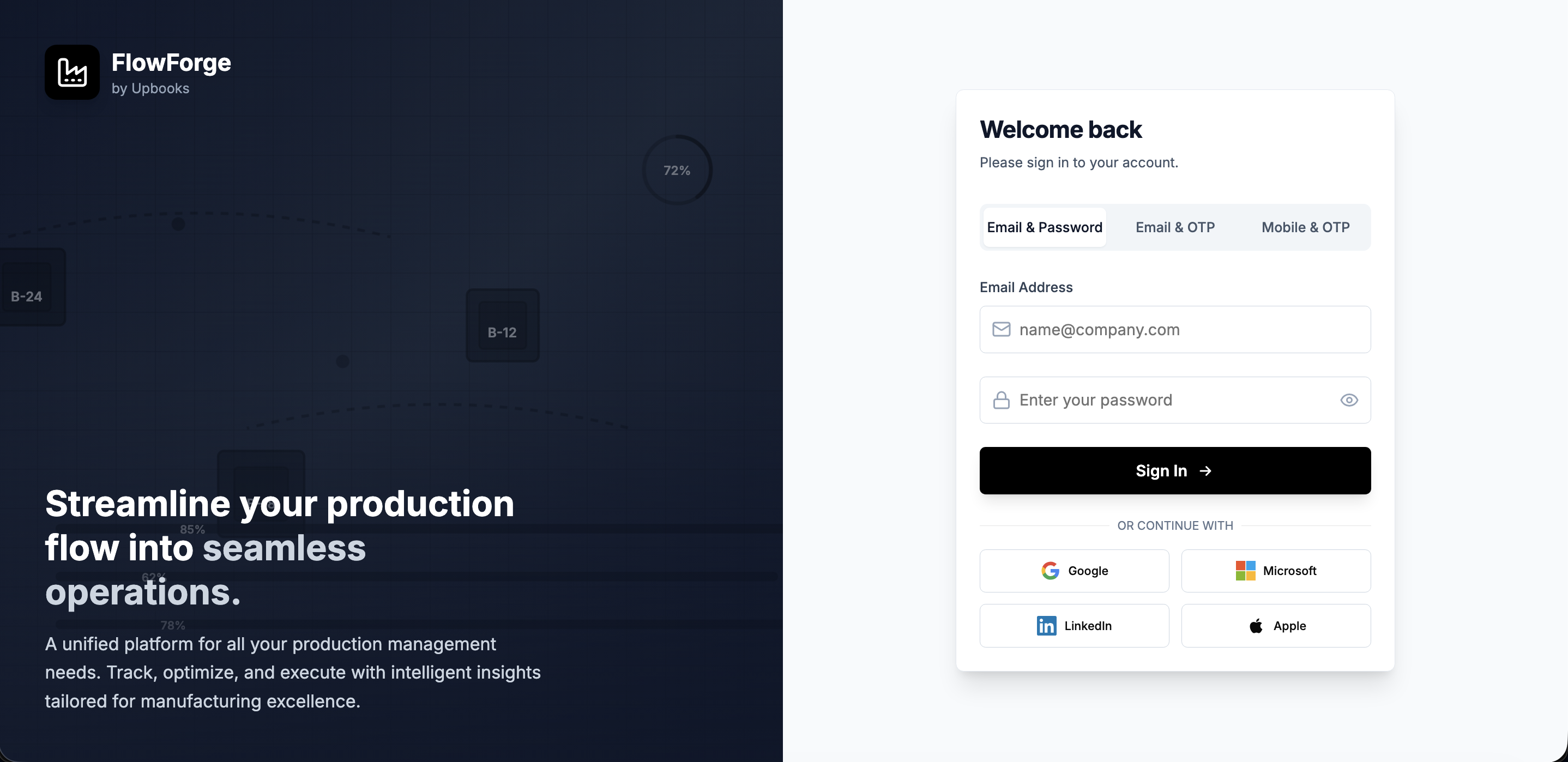
Login & Security
Sign in with email, OTP, or Google/Microsoft/LinkedIn/Apple. Secure access for your team.
Organization Management
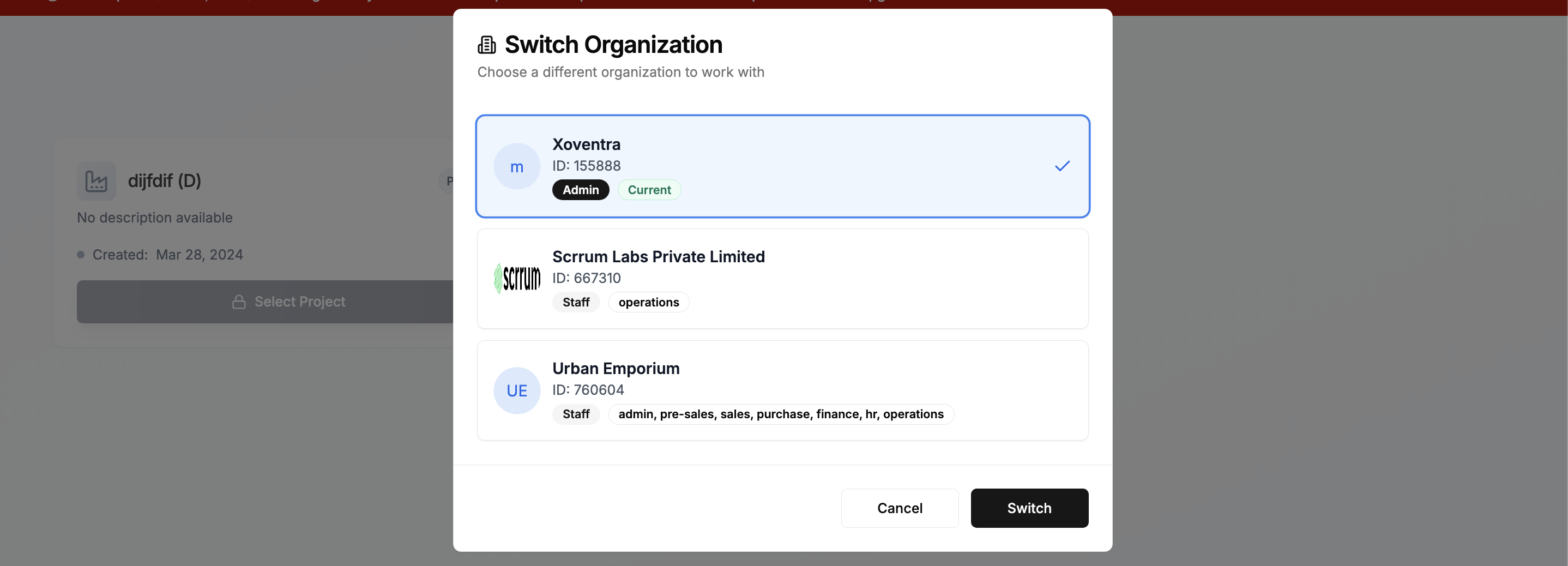
Work across multiple companies. Switch between organizations without logging out.
Project Overview
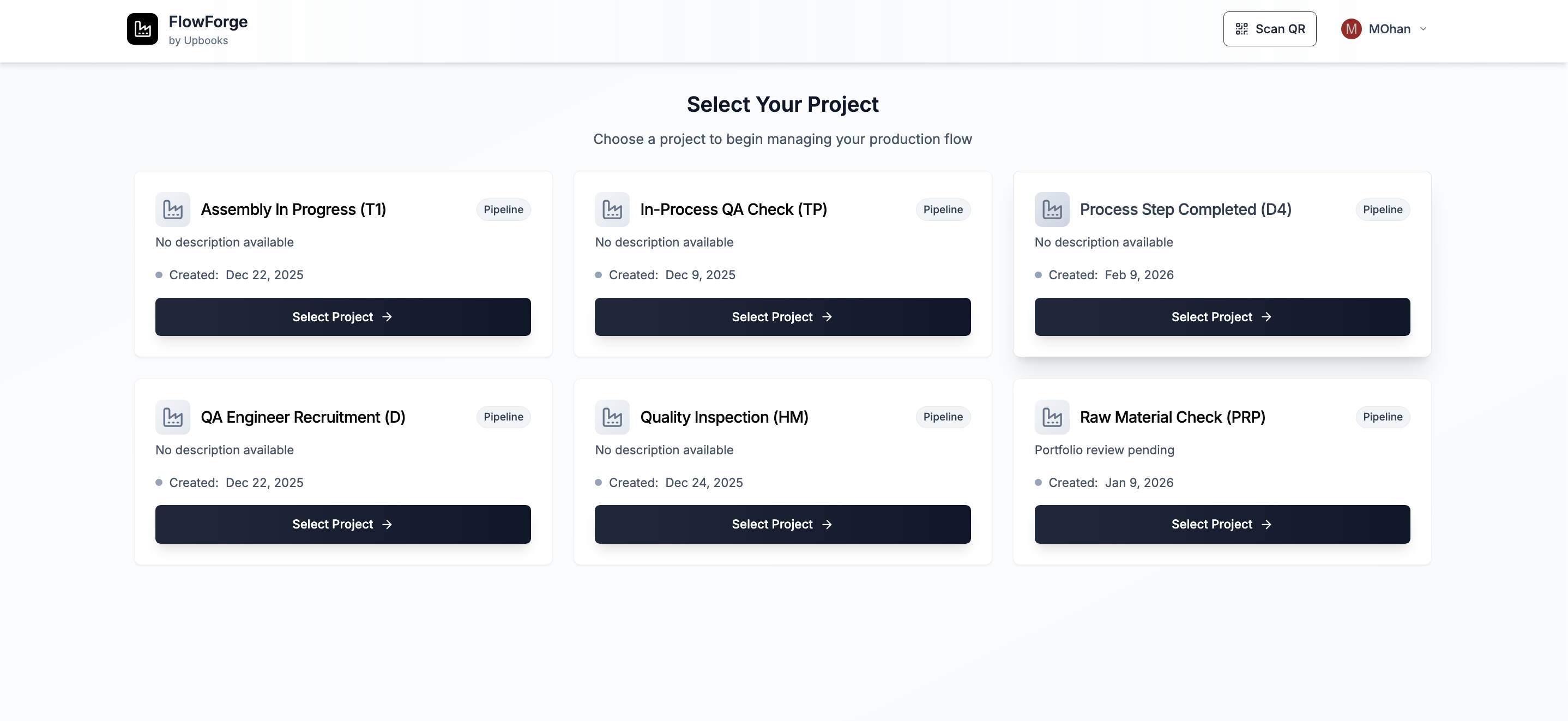
See all active projects at a glance. One tap to dive into any production line.
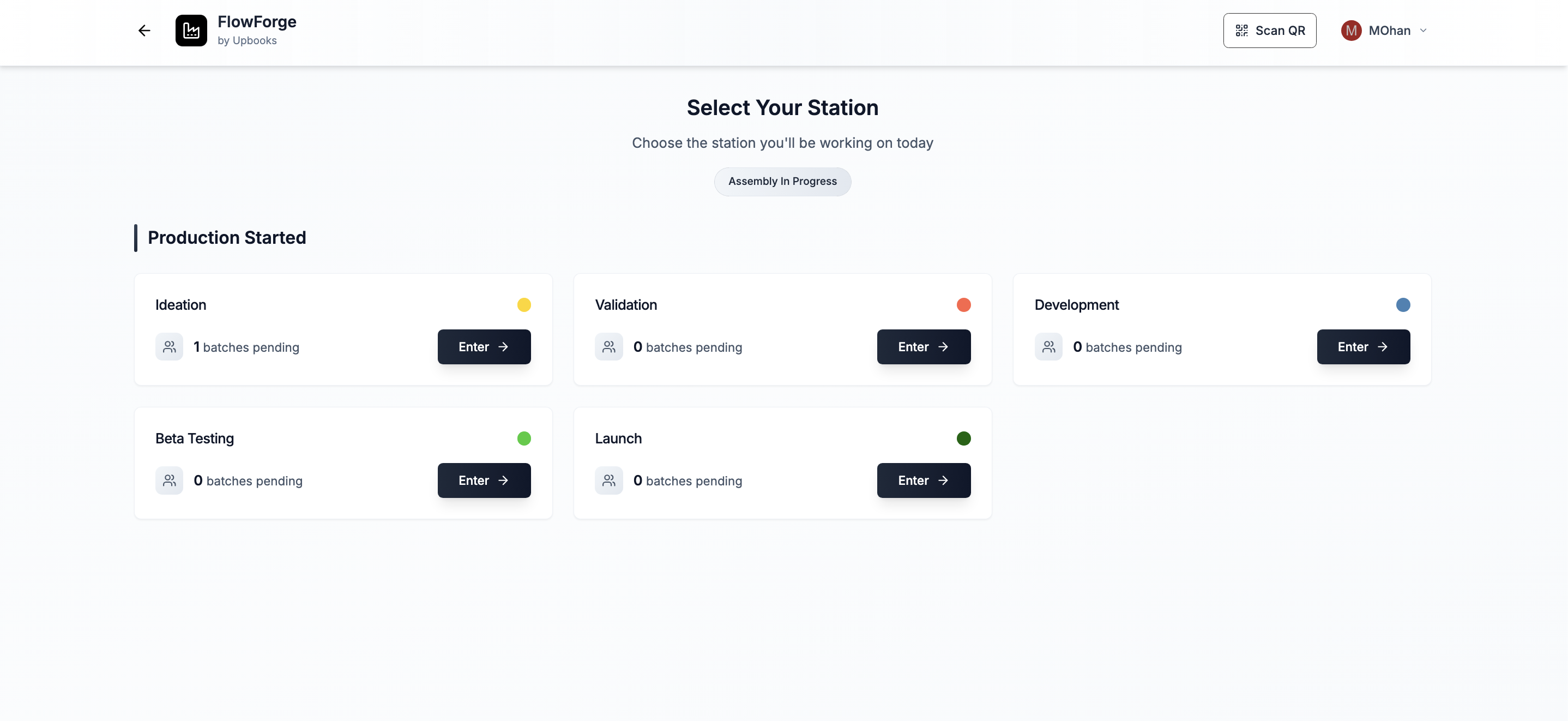
Station Selection
Jump to the right workstation. See how many batches are waiting at each station.
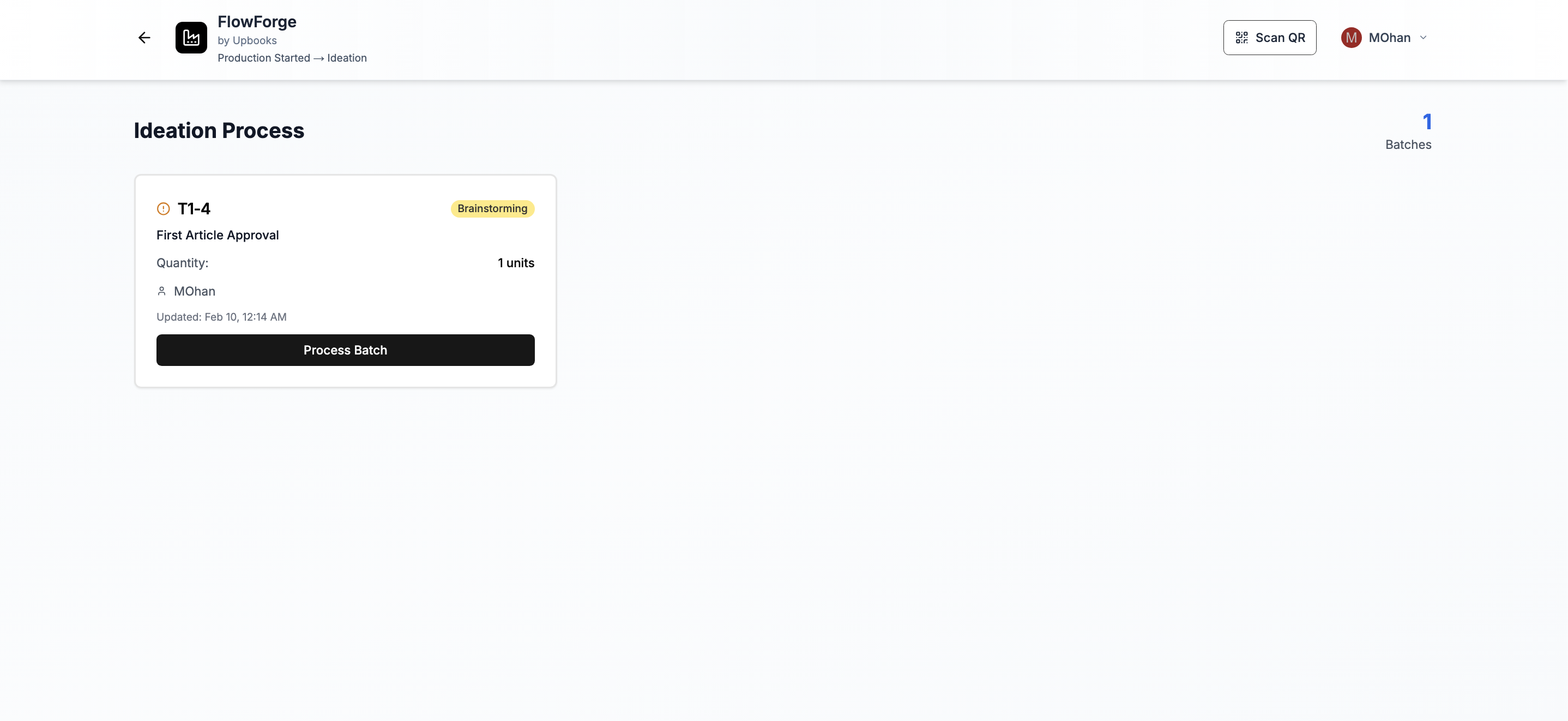
Batch List
See what needs work. List of batches with batch number, product, quantity, status.
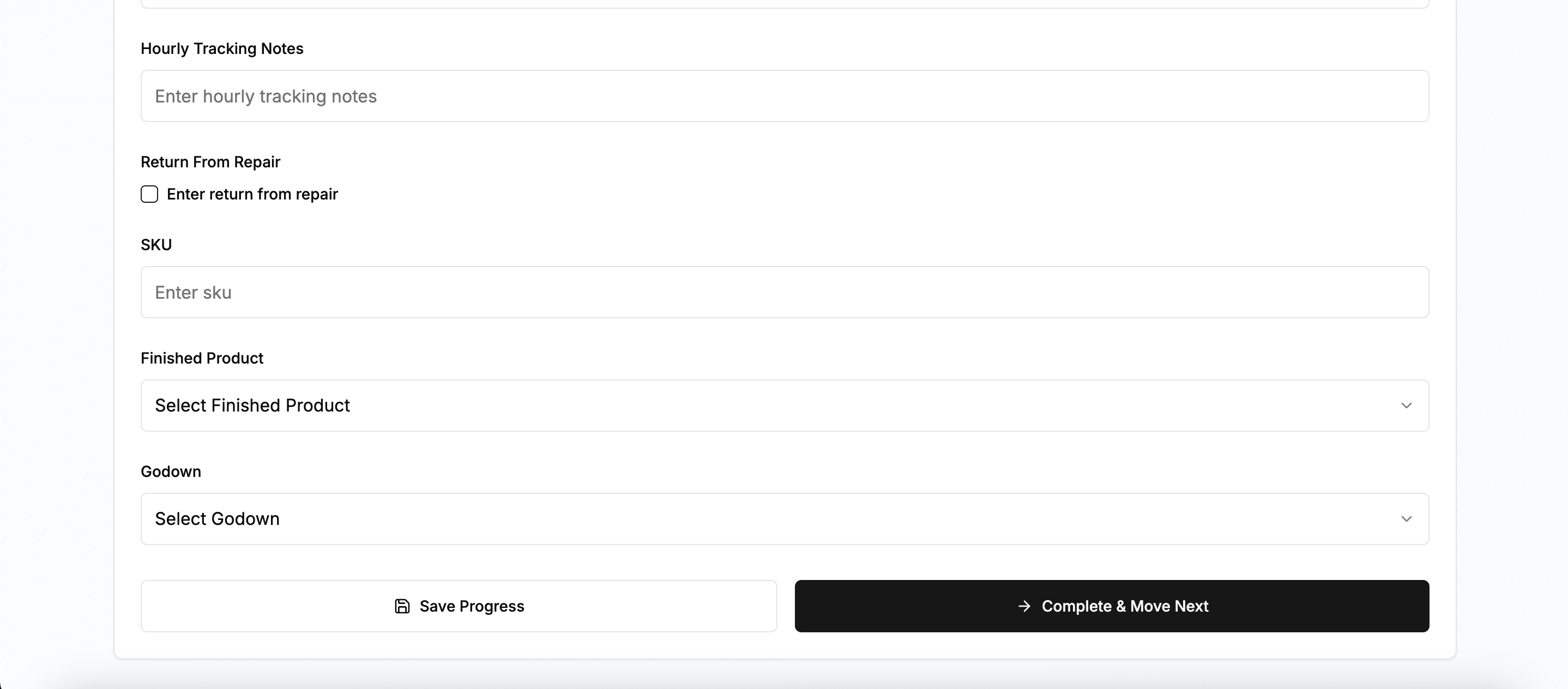
Batch Details & Processing
Fill in process forms, save progress, complete and move to next stage in one action.
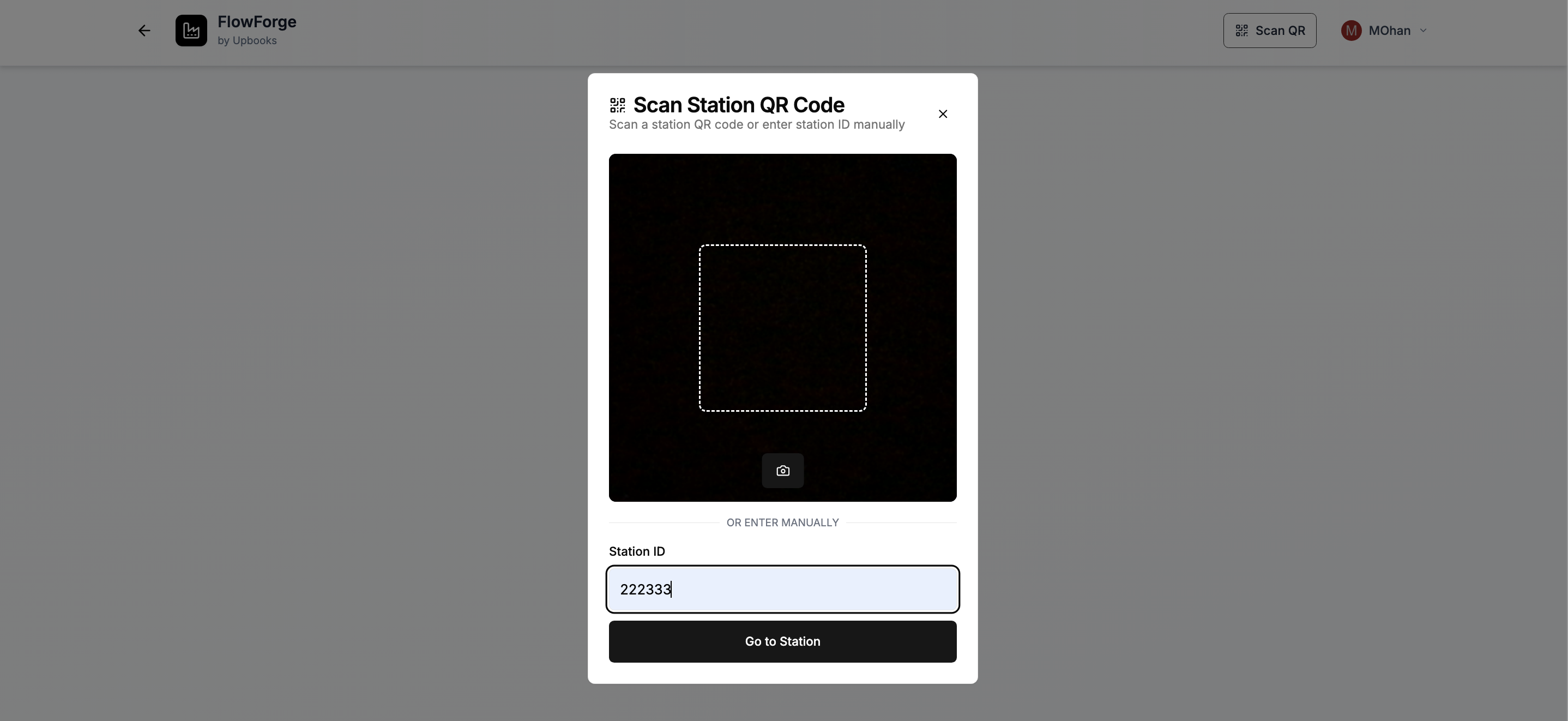
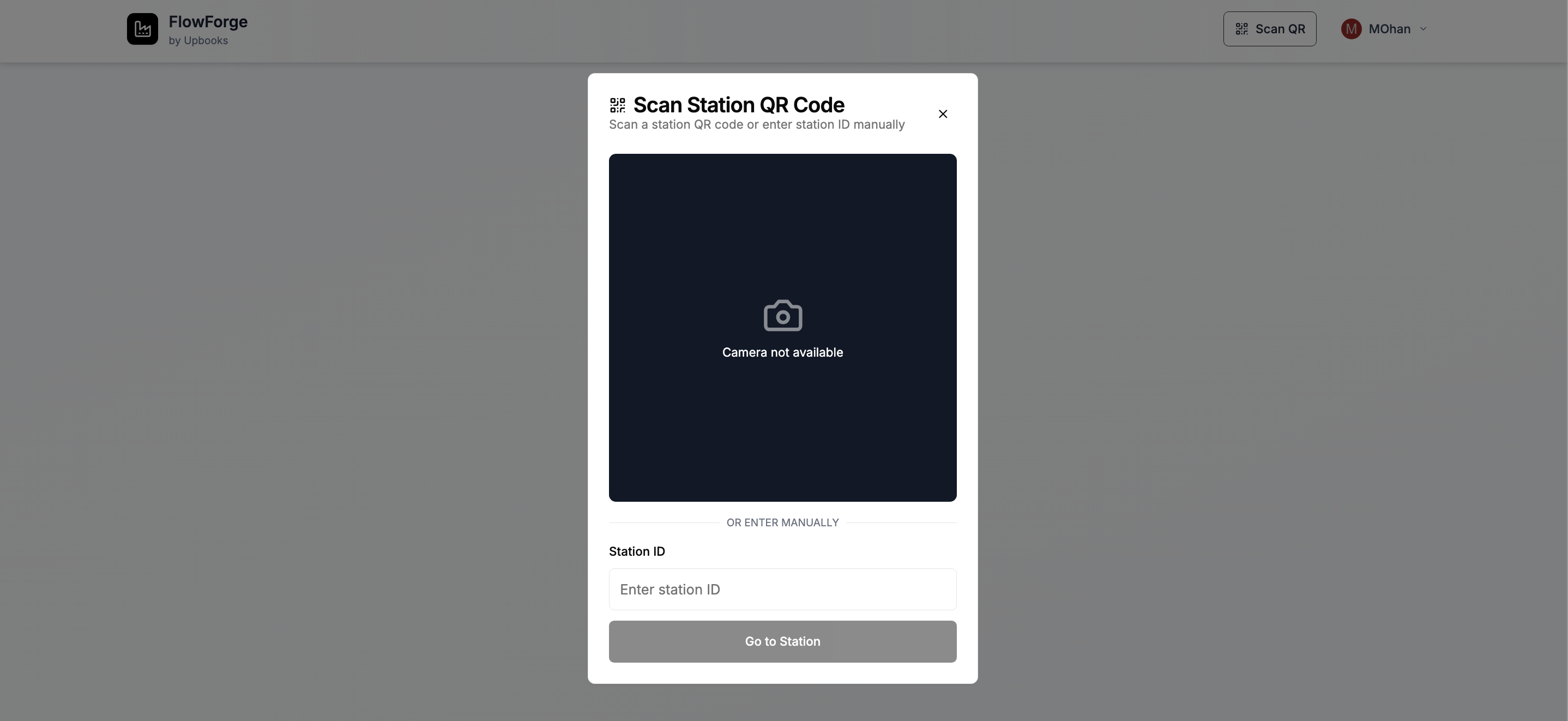
QR Code Scanning
Scan a QR code at a station to go straight to that workstation. Faster shop-floor navigation.
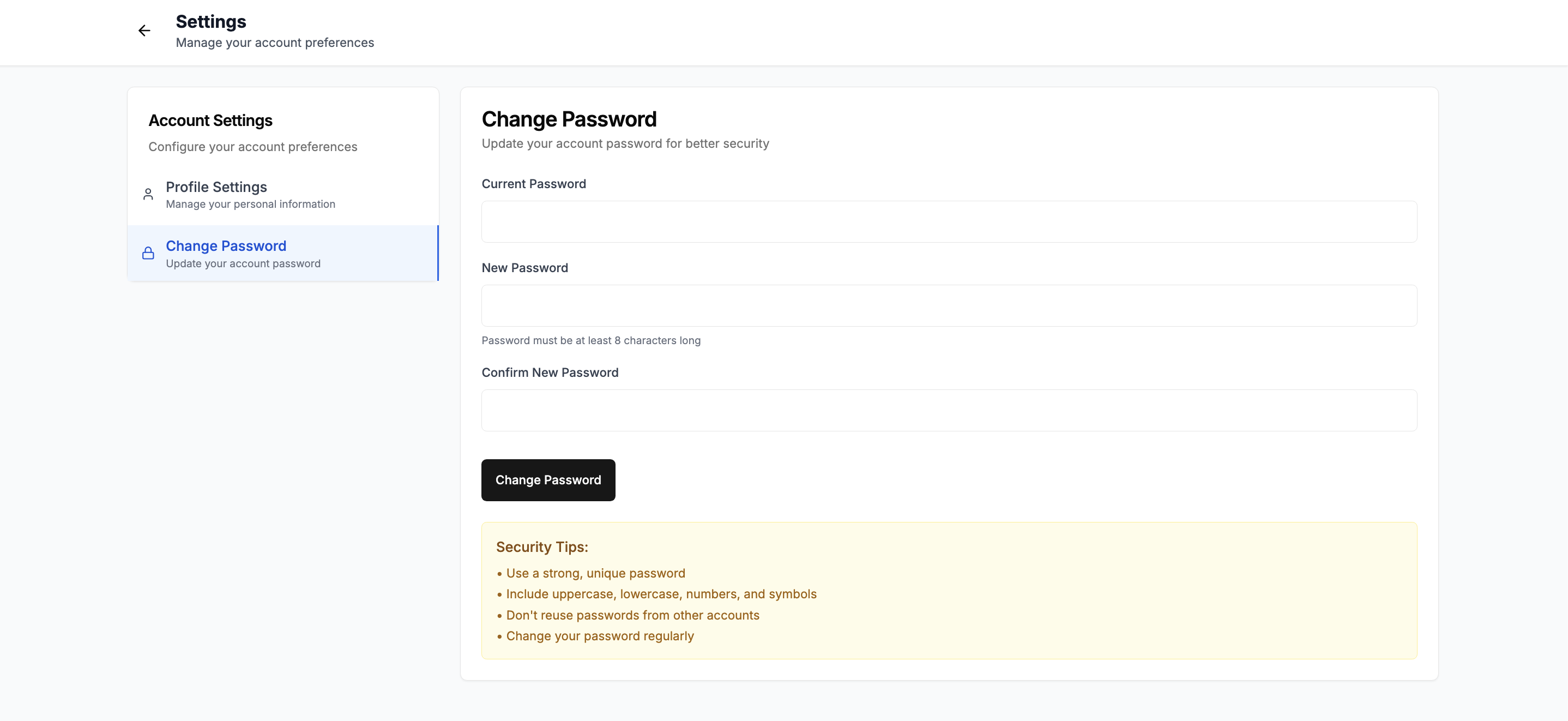
Settings & Account
View profile, change password. Reduces dependency on IT for simple account changes.
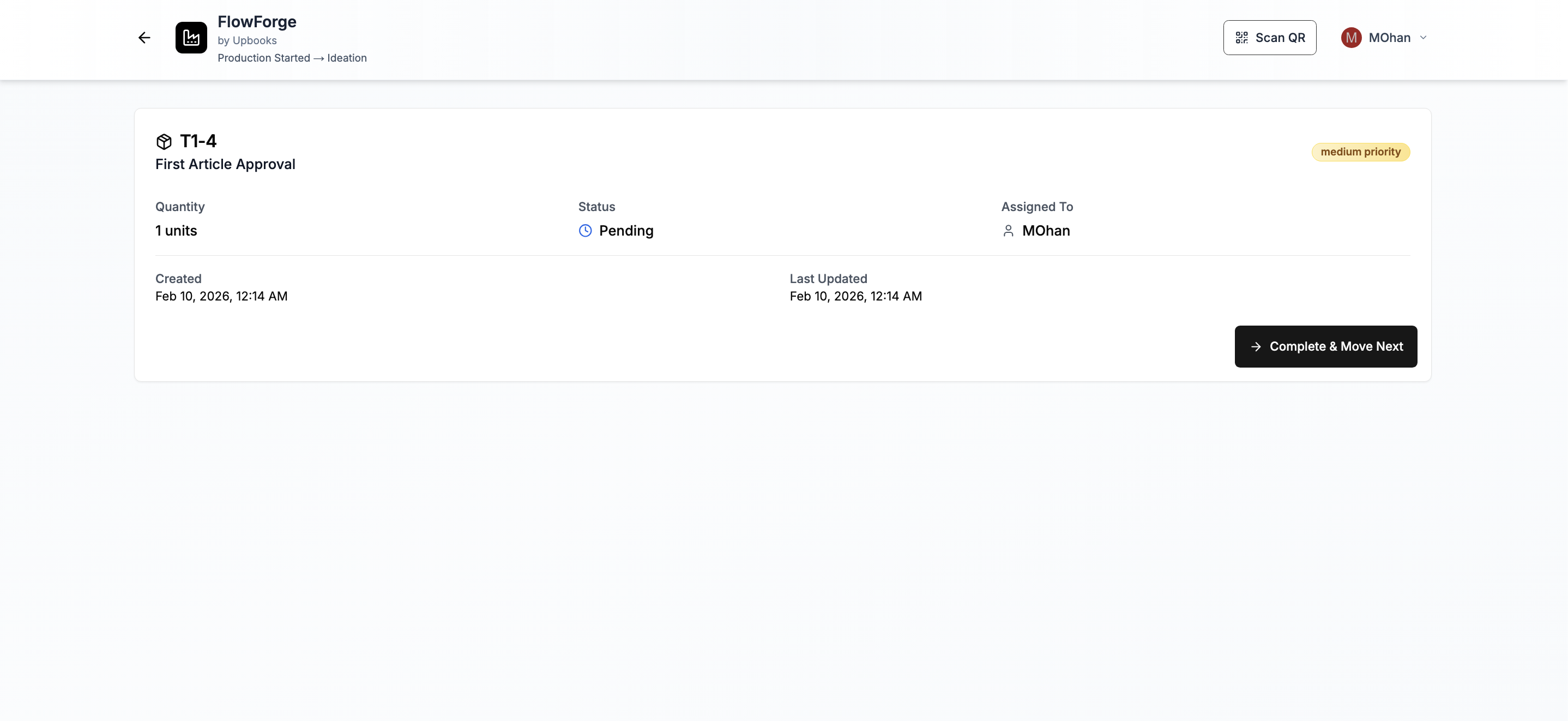
Workflow Tracking
Batches move through stations in clear sequence. One action to complete and move to next stage.
Tablet & Mobile Friendly
Optimized for tablets and phones. Camera for QR scanning. Touch-friendly interface.
Login & Security
Sign in your way
- Sign in with email and password
- Sign in with one-time code sent to email or phone (no password needed)
- Sign in with Google, Microsoft, LinkedIn, or Apple
Why it helps your business
Your team can access the app quickly without remembering passwords. Works with the tools they already use. Keeps access secure while being easy for staff.
Organization Management
Work across multiple companies
- If you belong to multiple companies, choose which one to work in at login
- Switch between companies anytime without logging out
Why it helps your business
One account for contractors or consultants working across organizations. Less switching between systems and fewer logins.
Project Overview
See all your projects at a glance
- View all your active projects in one place
- Each project shows name, description, and status (Active/Inactive)
- One tap to dive into any project
Why it helps your business
Easy navigation across multiple production lines or projects. Clear separation between different work streams.
Station / Workstation Selection
Jump to the right place
- See all workstations or process stages for a project
- Each station shows how many batches are waiting there
- Stations grouped by board/process flow so you see the full pipeline
Why it helps your business
Operators quickly find where to work. Workload is visible at a glance—see where the backlog is. Matches your production flow from one stage to the next.
Batch List — What's Waiting for You
See what needs work
- List of all batches waiting at your station
- Each batch shows: batch number, product, quantity, status, who it's assigned to
- Clear status indicators (pending, in progress, completed)
Why it helps your business
Front-line staff know exactly what to work on next. Easy to prioritize and stay organized. Everyone is on the same page about what's done and what's not.
Batch Details & Processing
Process each batch with structure
- View full batch details: product, quantity, dates, assigned person
- Fill in process-specific forms (text, numbers, dates, checkboxes, dropdowns)
- Save progress without finishing the batch
- Complete and move to next stage in one action
Why it helps your business
Standardized data capture at each step. Better traceability and quality records. Fewer manual handoffs and coordination.
QR Code Scanning
Jump to a station by scanning
- Scan a QR code at a station to go straight to that workstation
- Or type the station ID manually if camera isn't available
- Works on tablets and mobile devices
Why it helps your business
Faster navigation on the shop floor. Operators can start work immediately at the right station. Great for flexible or rotating work areas.
Settings & Account
Profile & security
- View your name, role, and permissions
- Change your password from within the app
- Security tips shown when changing password
Why it helps your business
Team members can manage their own password. Reduces dependency on IT for simple account changes.
Workflow Tracking
See work flow through stages
- Batches move through stations/boards in a clear sequence
- One action to complete and move to the next stage
- Boards grouped visually so you see the full flow
Why it helps your business
Reduces manual tracking and paper handoffs. Everyone sees the same flow and status.
Tablet & Mobile Friendly
Use devices on the shop floor
- Optimized for tablets and phones
- Camera works for QR scanning
- Touch-friendly interface
Why it helps your business
Suits factory environments where workers use tablets or phones. Reduces need for laptops or fixed workstations.
The FlowForge flow
Login → Select Project → Select Station → View Batches → Process & Complete → Move to Next Stage
Login
Select Project
Select Station
View Batches
Process & Complete
Next Stage
Main benefits
What FlowForge delivers for your production team
Speed
Less time finding projects, stations, and batches—more time doing actual work
Clarity
Everyone sees the same status and responsibilities
Traceability
Process forms capture data at each stage for quality and compliance
Flexibility
Multiple login options, multi-org support, mobile-friendly
Simplicity
Minimal training needed—intuitive flow from project to station to batch
Tired of bulky and slow ERPs? Try Upbooks Free.
We'll setup everything at 0 upfront cost. Managed migration with sidecar implementation at one time investment of half your annual ERP cost.
2 weeks Netsuite Migration Plan
Modules that are made for you. No bulky implementations. You'll always use more than 80% of what you pay. Always. That's a promise.
Enterprise
FlowForge is available in the Enterprise plan. Contact us for custom pricing and deployment.
Contact Sales